Function
Streams a Bing Maps imagery, based on the addressed entered. The model space background will update as you pan/zoom around, keeping the imagery updated with your current view.
An additional ribbon will open once you have the background imagery loaded in, called the Geolocation ribbon.
Procedure
Left click to start the command
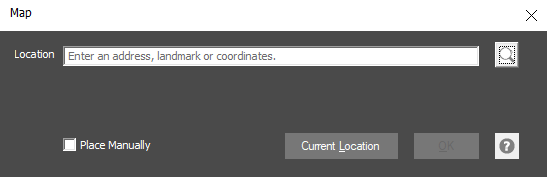
For location, enter in an address, landmark or latitude/longitude coordinates. Alternatively, if you have your computer's Location setting enabled, you can use the option Current Location to get the latidue/longtidue coordinates of your current position.
Press OK once you have a location in place
This will enable the Geolocation ribbon, with some more options on customizing your background imagery