Function
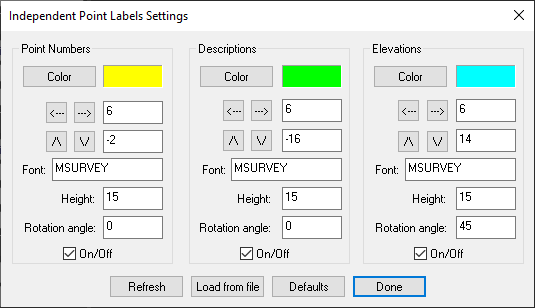
This command is used to configure the IPN, IPD and IPE commands.
Procedure
You can specify colors, positions and widths for the independent point labels.
Color
Use this to specify the color for the independent point label.
Position arrows and fields
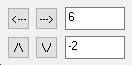
Use this to specify the position of the independent point labels. You can use the arrows to move them up, down, left and right or type in a value in the fields. Negative values indicate a direction left or down form the label’s center point. These values are not related to drawing units in the drawing.
Font
Use this to specify the font that will be used. This field maps to your Fonts directory where your Map360 product is installed.
Height
Enter a height for the independent label text. The default is 15 and this value isn’t related to drawing units in the drawing.
Rotation Angle
Enter a rotation angle for the independent label text, the default is zero.
Weight
Use this to thicken the independent label text. The default is 500.
On/Off toggle
Use this to toggle on and off the independent point label. Note you would normally do this by pressing the corresponding icon or typing the command name at the command line.
Show All
Use this to turn on all the independent labels.
Load from file
Use this to load the setting from the X99.dat file found in your Map360 install directory. What will be loaded are the settings from your last save.
Defaults
This will load the system defaults for the independent point labels.
Done
Use this to exit the dialog. If you have made any changed you will be asked if you would like to save them as the defaults.