
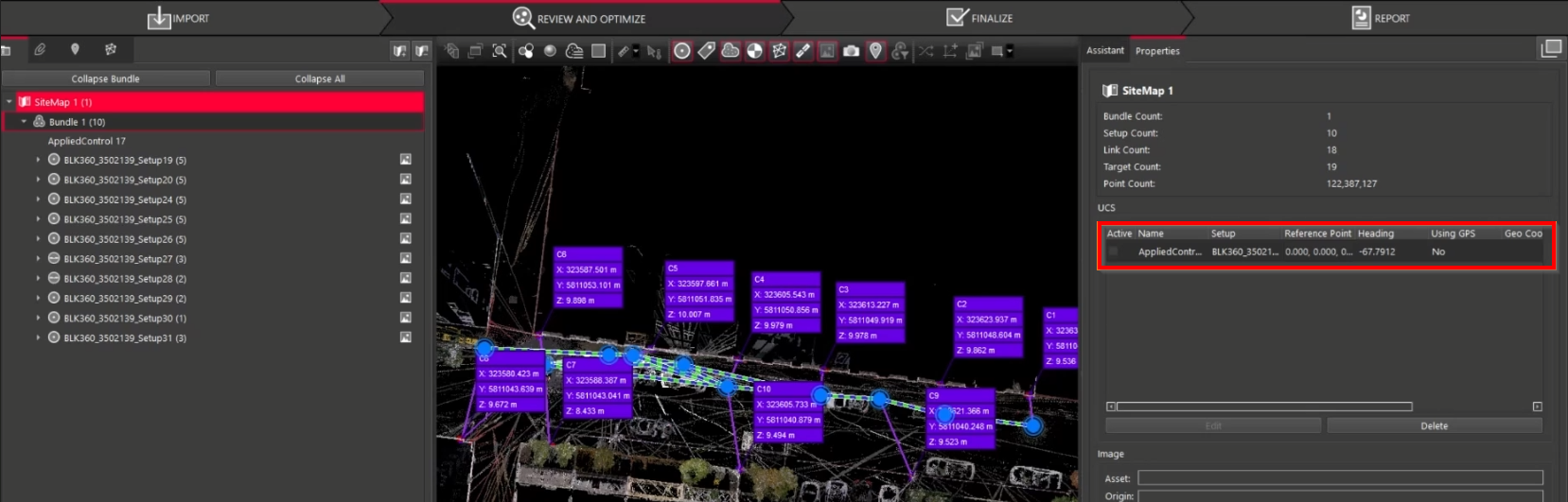
Cyclone REGISTER 360 PLUS automatically creates a User Coordinate System (UCS) whenever Applied Control is successfully applied. This gives users full visibility and control over the UCS generated from Applied Control, allowing it to be toggled on or off and used exactly like any standard UCS.
How It Works
1. Applying Control
-
When control is applied:
-
A UCS is created.
-
The UCS is linked to the applied control and uses the same name as the applied control entry.
-
2. Removing Control
-
If the UCS is not active, removing control also removes the UCS.
-
If the UCS is active, removing control clears the control flags but retains the UCS so users can compare or reapply control later.
3. Reapplying or Changing Control
It is possible to:
-
Apply a different control to the same Setup.
-
Reapply control to update the UCS with new base control characteristics.
-
Compare different UCSs to evaluate control adjustments.
Export Behaviour
-
The active UCS determines what gets exported.
-
If the applied control is active, its UCS is exported.
-
If another UCS is active (and applied control is not), that UCS is exported instead.