
The Constraint List provides a global view of all constraints within a registration Bundle. It allows users to inspect, sort, enable or disable, and optimise constraints with precision, improving control over registration quality and troubleshooting.
Core Functionality
The Constraints List is available on the Properties panel of the selected Bundle.
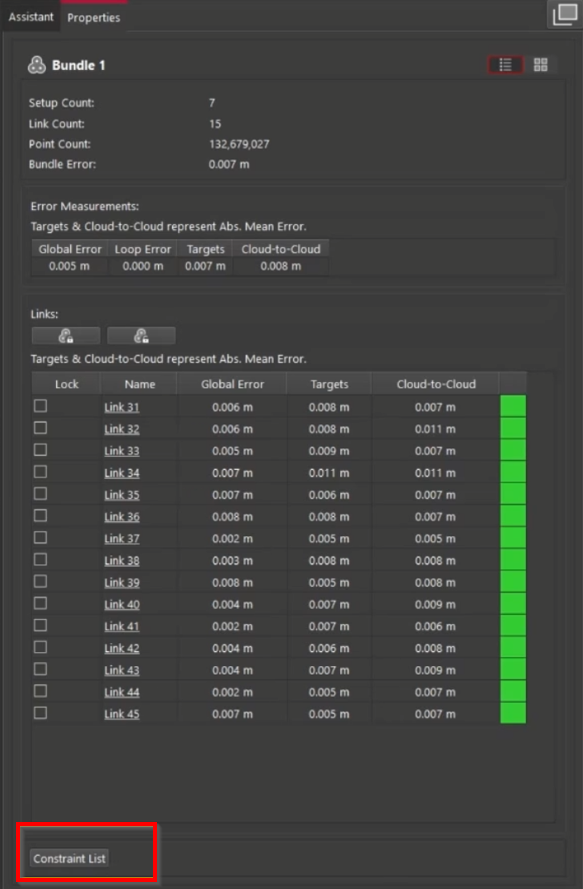
When the Constraint List button is clicked, the list opens, displaying all constraints (targets and Cloud-to-Cloud) for the selected Bundle.
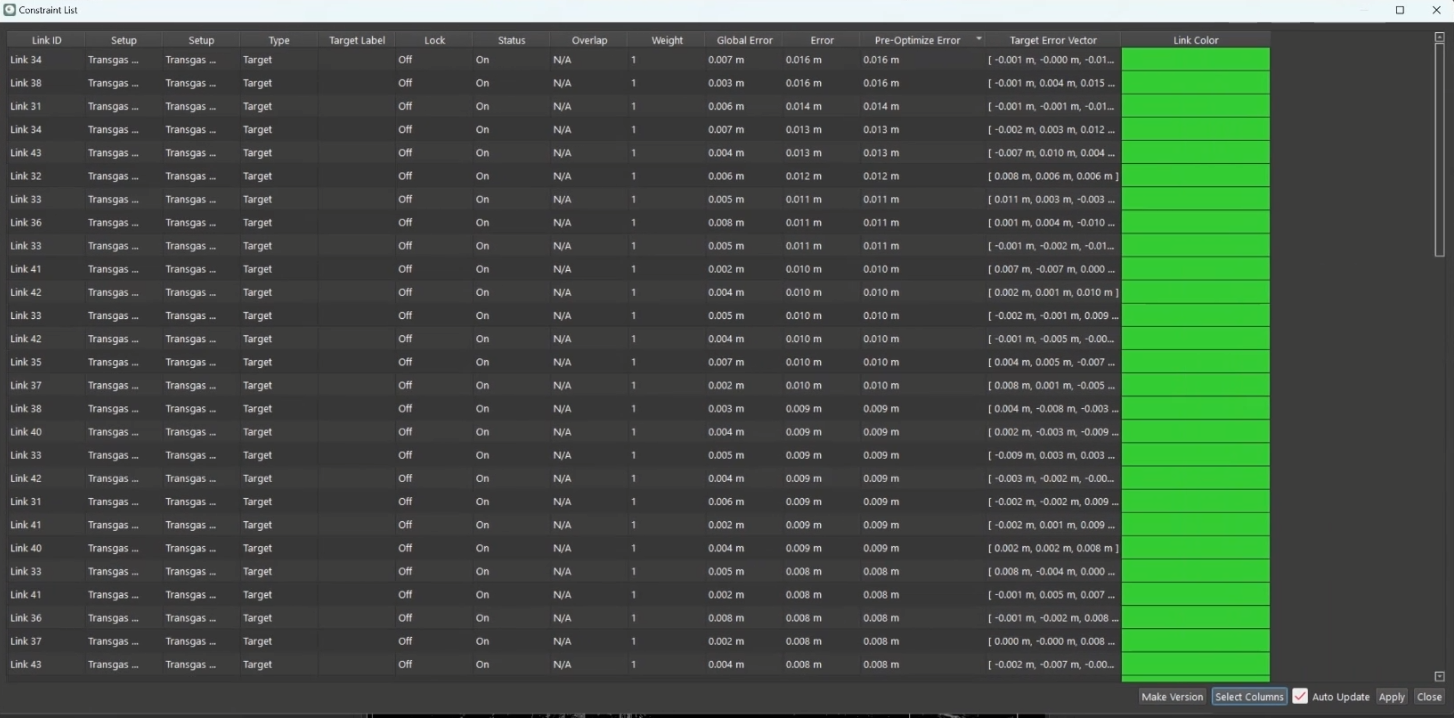
The list can be sorted by:
-
Setup
-
Link ID
-
Target label
-
Error values
-
Constraint type
Each constraint entry includes:
-
Type (target or Cloud-to-Cloud)
-
Setup pair
-
Lock status
-
Enabled/disabled status
-
Overlap status
-
Weight
-
Various error metrics
-
Link colour
Interactive Features
Enable/Disable Constraints
Users can selectively disable constraints to test their impact. If all constraints in a Link are disabled, the Link is removed from the Bundle.
To restore the removed Link, use the Undo button.
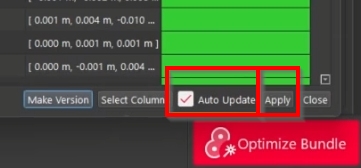
Auto-Update vs. Manual Apply
-
Auto-Update: Selecting the checkbox enables automatic reoptimization of the Bundle after each change.
-
Apply: Clicking the button allows applying multiple changes before reoptimising the Bundle.
Versioning
The Make Version button lets users save the current version of the list in the project’s Version Manager before editing constraints, thereby preserving a restore point.
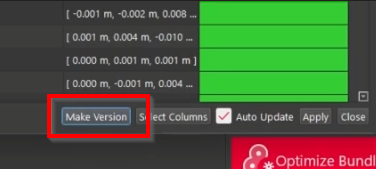
It is highly recommended to create a version:
-
When first using the Constraint List.
-
Before disabling multiple constraints or Links.
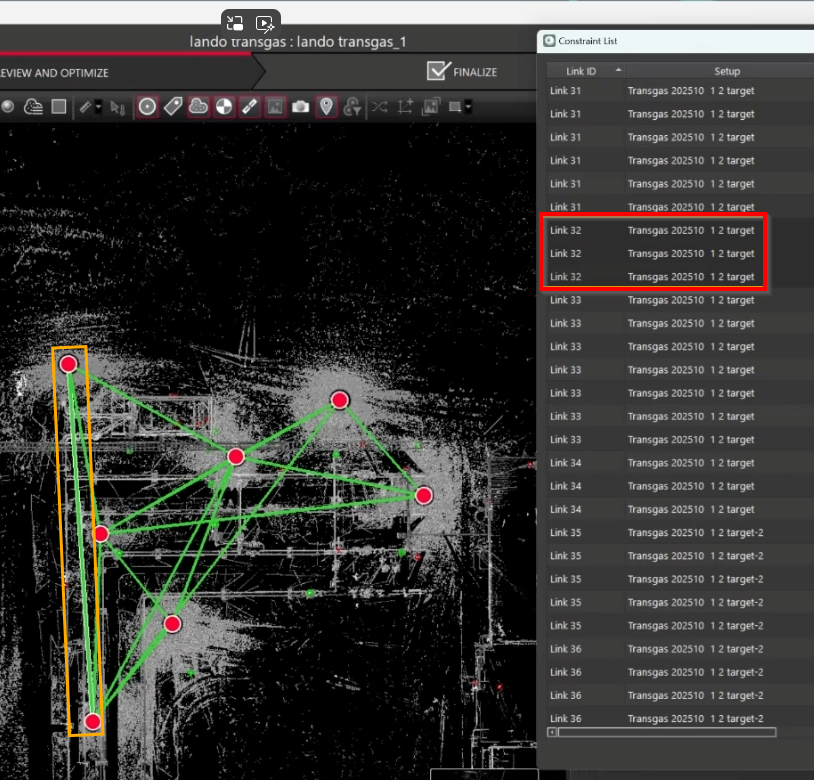
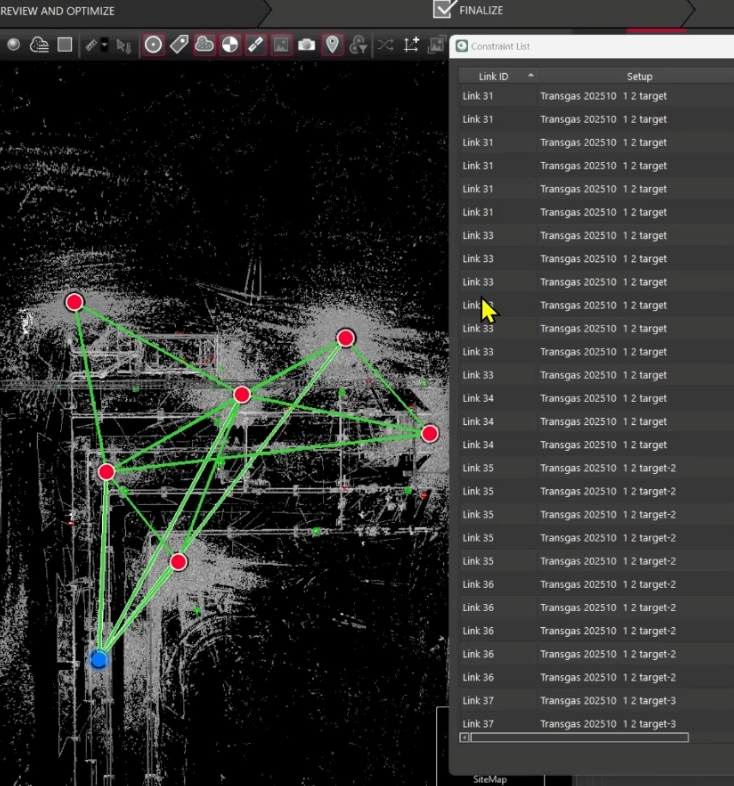
Disabling Links
Disabling Links helps users identify connected Setups and evaluate how constraints affect alignment.
To disable Links, select the necessary ones in the Constraint List and then select Disable from the context menu. The Link will be removed. However, it's also removed from the Constraint List.
|
|
|---|
To get the deleted Link back, use the Undo feature.
Differences from Cyclone Core
|
Feature |
Cyclone REGISTER 360 PLUS |
Cyclone Core |
|---|---|---|
|
Constraint visibility |
Global list per Bundle |
Global list per Setup |
|
Error column |
Shows alignment error |
Mix of Global (for Cloud-to-Cloud links) & Slope error (for Target links) |
|
Global Error |
✅ Available |
❌ Not available |
|
Pre-optimized error |
✅ Available |
❌ Not available |
|
Link persistence |
Removed if all constraints are disabled |
Link remains |
|
Group support |
❌ Not supported |
✅ Supported |
|
Multi-Bundle editing |
❌ One Bundle at a time |
✅ Possible |
Useful Tips
-
Do not disable all constraints in a Link unless they should be removed.
-
Breaking Bundles by removing critical Links is not allowed.
-
Always make a version before major edits.