
Summary
With the evolution of the Leica Geosystems software family, including Cyclone REGISTER 360 PLUS version 2026.0.0, a new GeoTag structure has been introduced. This change enables:
-
Flexible GeoTag categorisation
-
Support for multiple asset types within a single GeoTag, such as:
-
Images
-
Videos
-
Audio
-
Text
-
PDF
-
URLs
-
Data with the new GeoTag structure exported by Cyclone FIELD 360 is now saved in a new file format with the FAFx extension (formerly FAF - Field Archive File). However, older versions of Cyclone REGISTER 360 PLUS, including 2025.0.0 and 2025.0.1, do not recognise the new FAFx format, which prevents importing data exported from the latest versions of Cyclone FIELD 360.
Workaround
To address the issue and support users of older versions, Cyclone REGISTER 360 PLUS FAF Patch 2026.0.0 has been released to add compatibility with the FAFx format.
What Does the Patch Do?
Once installed on versions 2025.0.0 or 2025.0.1, Cyclone REGISTER 360 PLUS will:
-
Read FAFx files generated by Cyclone FIELD 360.
-
Import the full dataset (scans, images, project information).
Important: This patch applies only to versions 2025.0.0 and 2025.0.1. It does not apply to any earlier versions of Cyclone REGISTER 360 PLUS.
Installation Instructions
-
Close Cyclone REGISTER 360 PLUS.
-
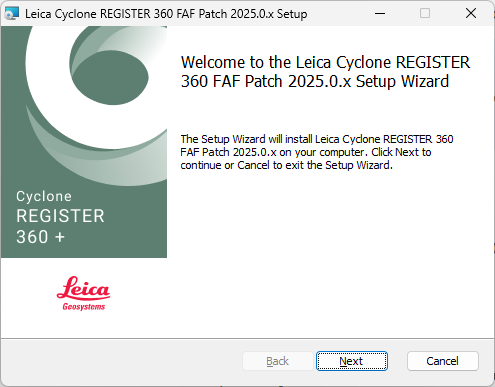
Run the patch installer and follow the on-screen instructions:
3.1. Click Next.
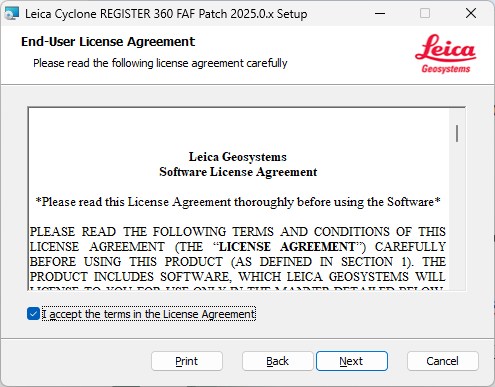
3.2. Accept the terms of the License Agreement and click Next.
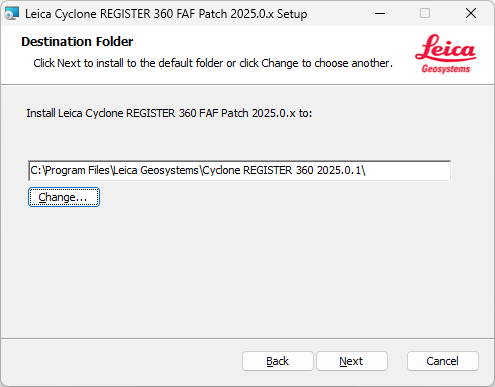
3.3. Select the destination folder of the currently installed version (2025.0.0 or 2025.0.1) by clicking the Change button. Confirm the selected folder and click Next to proceed.
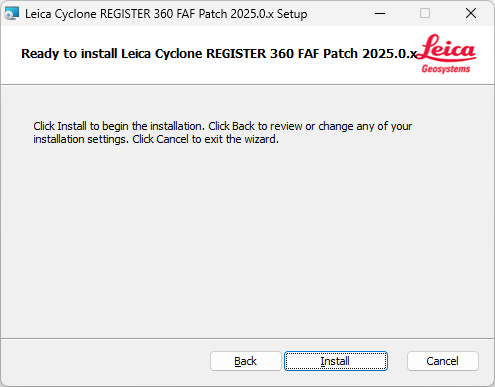
3.4. Click Install to start applying the patch.
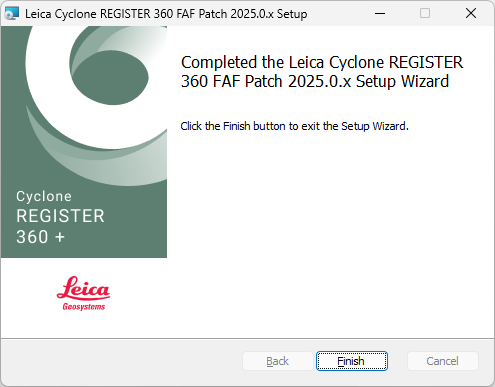
3.5. Once the installation is finished, click Finish to close the installer.
-
Restart Cyclone REGISTER 360 PLUS after installation is complete.
Additional Required Steps After Installing the Patch
After successfully installing Cyclone REGISTER 360 PLUS FAF Patch 2026.0.0, follow the steps below before importing the Field Archive File:
-
Locate the Field Archive File exported from the latest version of FIELD 360.
-
This file will have the .fafx extension (previously .faf).
-
-
Rename the file extension from .fafx to .faf.
-
Example: ProjectData.fafx → ProjectData.faf
-
-
Once the extension is changed, you can import the file into Cyclone REGISTER 360 PLUS (2025.0.0 or 2025.0.1) without issues.
Note: Uninstalling Cyclone REGISTER 360 PLUS FAF Patch 2026.0.0 will restore the previous version of the required libraries that were originally installed with Cyclone REGISTER 360 PLUS (2025.0.0 or 2025.0.1).
After removal, the application will no longer support FAFx files, and you will need to reinstall the patch to regain this functionality.
Compatibility
-
Supported versions: 2025.0.0, 2025.0.1
-
Supported formats:
.FAF(legacy),.FAFx(new)