
Summary
In Cyclone REGISTER 360 PLUS 2023.1.0, structured exports, such as RCP, E57, PTX, and PTG, may include deleted points on a second export, despite settings to export only cleaned point clouds.
Workaround
A workaround is available to restore point cloud cleaning from version 2023.1.0:
-
Create a shortcut to Cyclone REGISTER 360 PLUS on a desktop if one does not exist.
-
Right-click the shortcut and select Properties.
-
Add
-supportto the Target field entry, separated by a space as shown below.
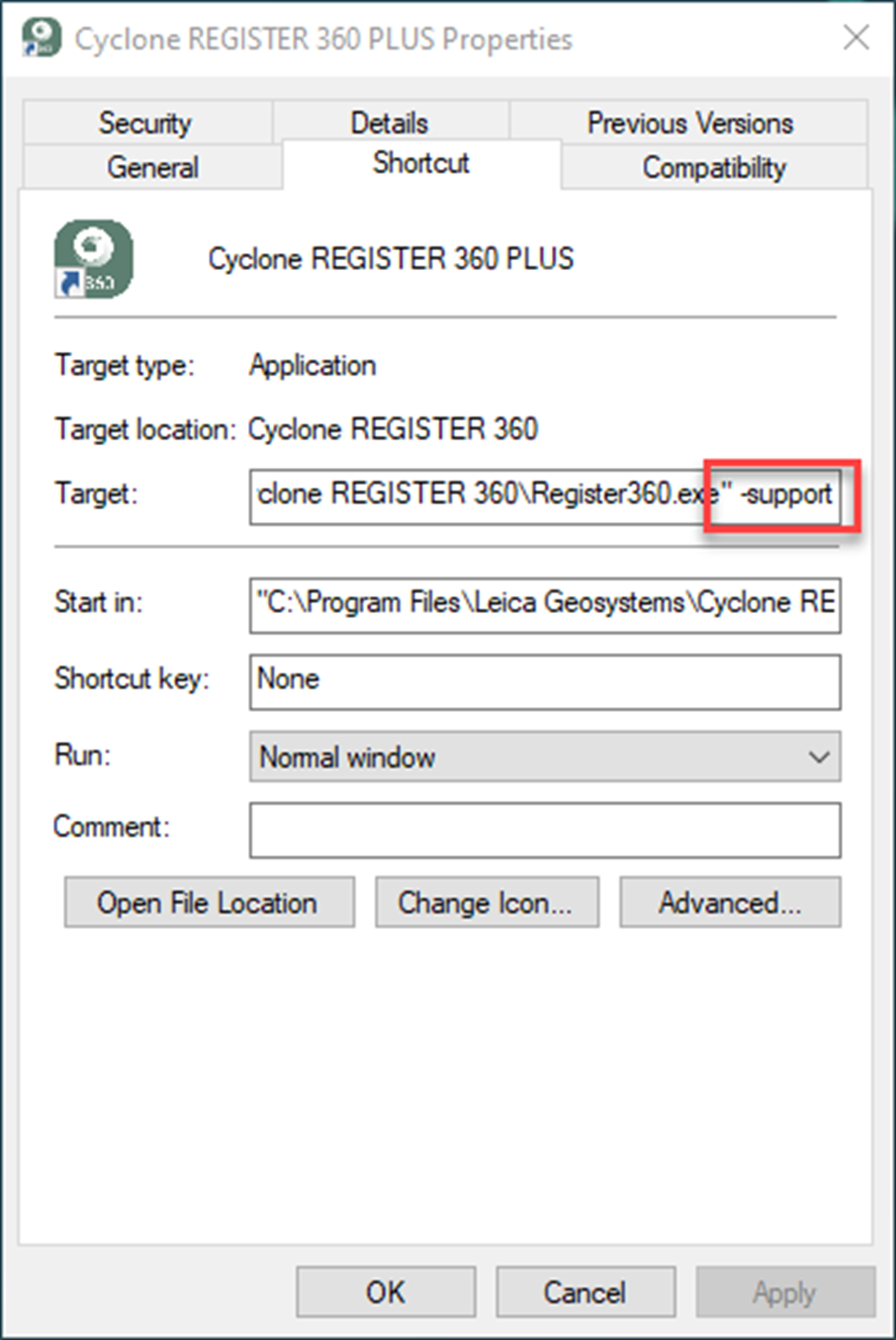
-
Launch Cyclone REGISTER 360 PLUS via the shortcut.
-
Open the project that needs the cleaning restored.
-
In the Review & Optimize area, right-click the SiteMap with the Bundle(s), and select Restore Cleaning.
-
Cleaning will be applied to all Bundles in the SiteMap.
-
-
Proceed to the Finalize step, then to the Report step, and generate a new Finalized Registration.
-
Export the project using the desired structured format.