
This guide covers key functionalities of the Projects & Storage dialog to enhance your understanding of how to archive, merge, relocate, and compact projects. It also explains why storing projects on NAS drives is not recommended.
The options described below are available on the Projects tab of the Projects & Storage dialog.
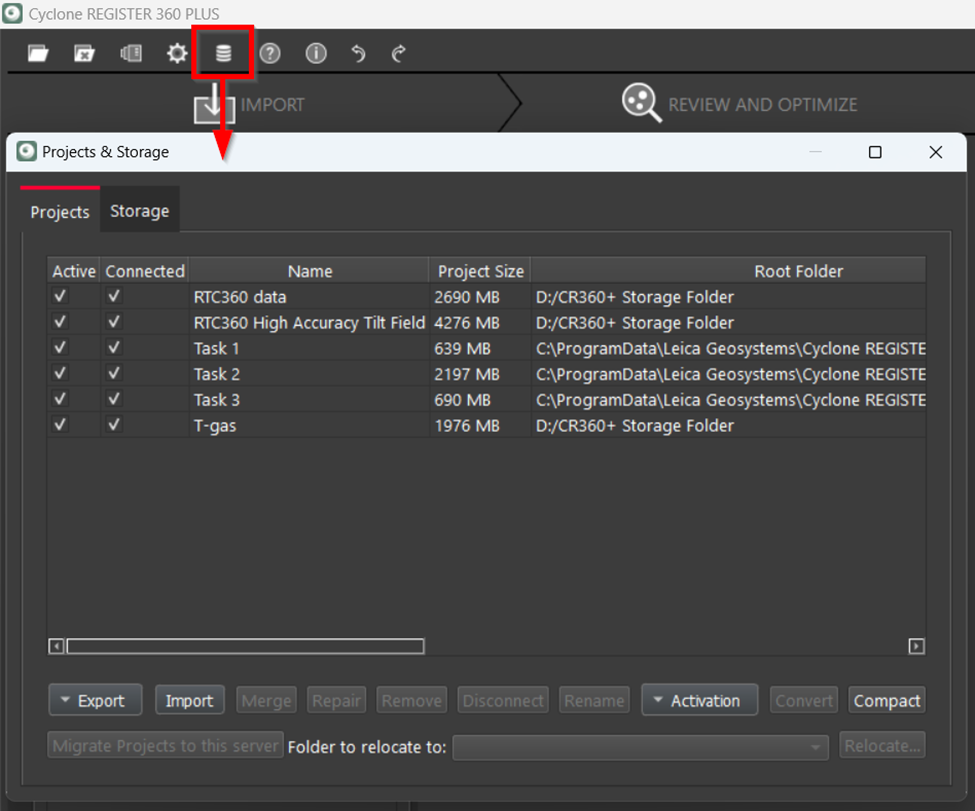
Export Option
Upon selecting a project for archiving or exporting, the Export drop-down list will become active, offering you two options to proceed with.

Export Project Archive
This option allows archiving a project.
Advantages:
-
This is the safest way to create an archive.
-
It produces an RAF file, which is a compressed version of the Project Storage folder.
-
Ideal for creating backups, securely transporting files via FTP, and ensuring you have a reliable copy.
Disadvantage:
-
For larger projects, this process can be time-consuming as compressing numerous files into a single file takes a significant amount of time.
Export Fast Archive
This option creates an identical, uncompressed copy of a project at a chosen disk location.
Advantages:
-
Makes an exact copy ready to be reconnected to another instance of Cyclone REGISTER 360 PLUS or stored on an external drive.
-
Ensures quick process since there is no compression involved.
-
Maintains the original project file structure.
Disadvantage:
-
Does not reduce file size, potentially requiring more storage space compared to compressed archives.
Merge Option
The Merge option is useful for integrating one project into another.

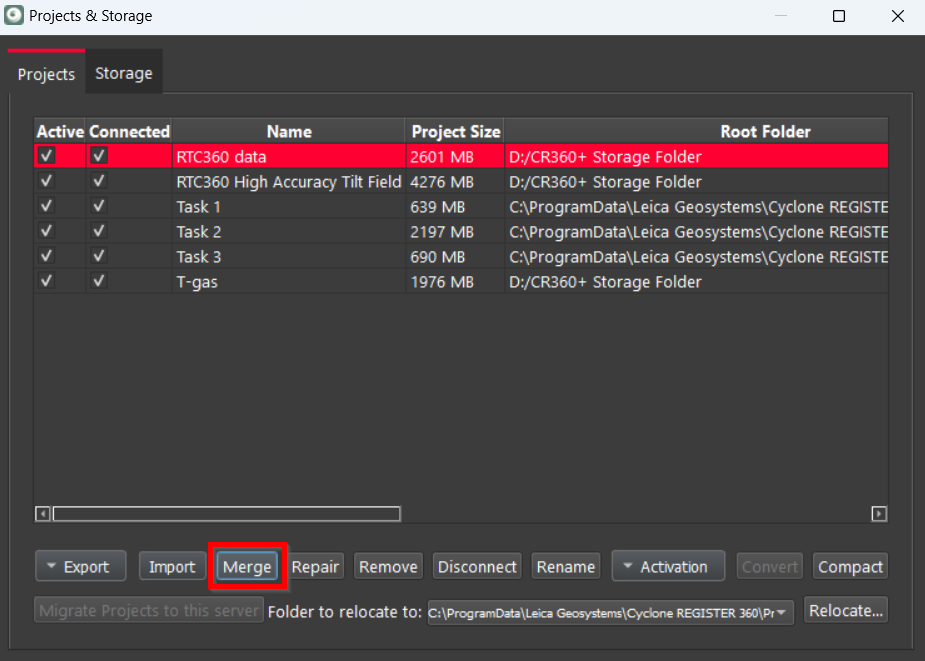
To use this feature, follow the steps below:
-
Select the base project that you want the other project to merge into and click Merge.
-
In the Merge Projects dialog, choose the project to merge with the base project from the drop-down list of available projects. Then, click OK to confirm your choice.
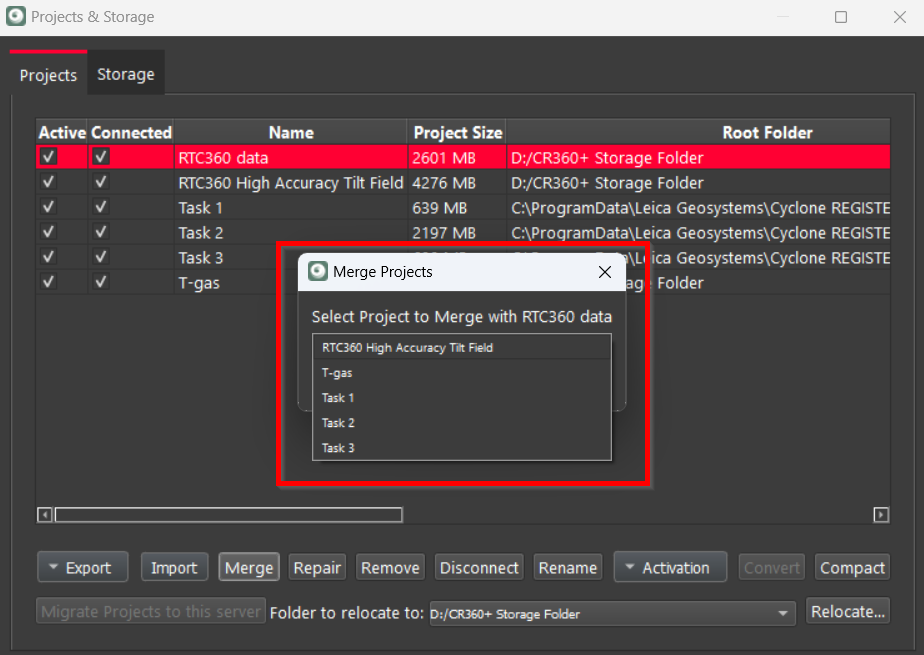
Consequently, the two projects will be combined, and the main project will now incorporate the contents merged from the secondary project. The project that was merged into the main project will remain unchanged.
Compact Option
This option cleans up the project by permanently removing files that are no longer used and marked for deletion.

The Compact option is added to ensure the secure and safe deletion of data. For example, if you delete a Setup or other assets from the project, utilizing the Compact option allows you to permanently remove those items. If a Setup is deleted in one project version but is still utilized in another, the compacting process will preserve it, ensuring that you do not unintentionally lose important data. This functionality is particularly beneficial for maintaining a clean project environment, especially if you frequently delete and remove data that is no longer needed.
Relocate Option
The Relocate option allows moving the project to the new specified location.
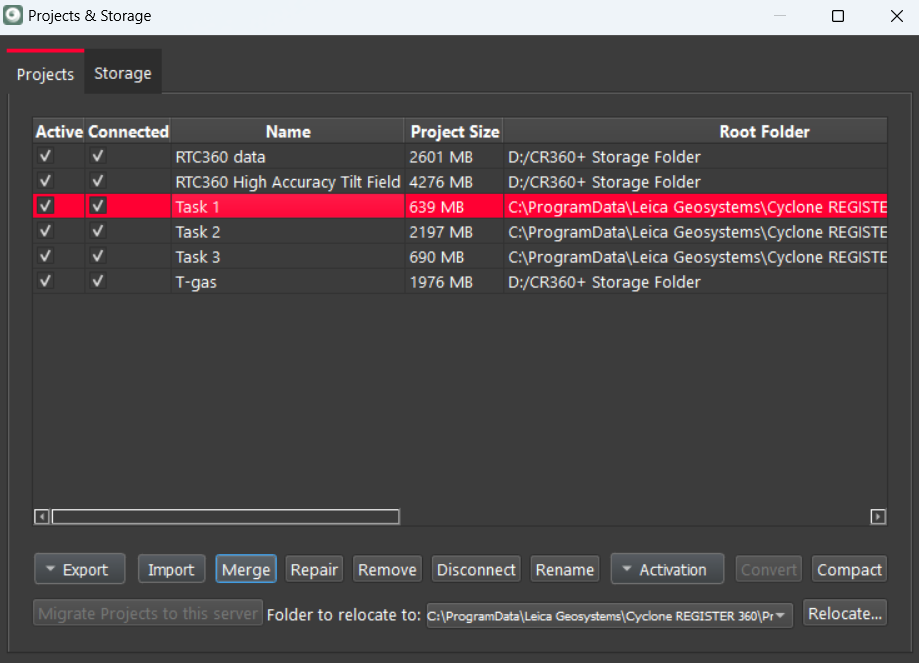
To use this option, follow the steps below:
-
Select the project to move.
-
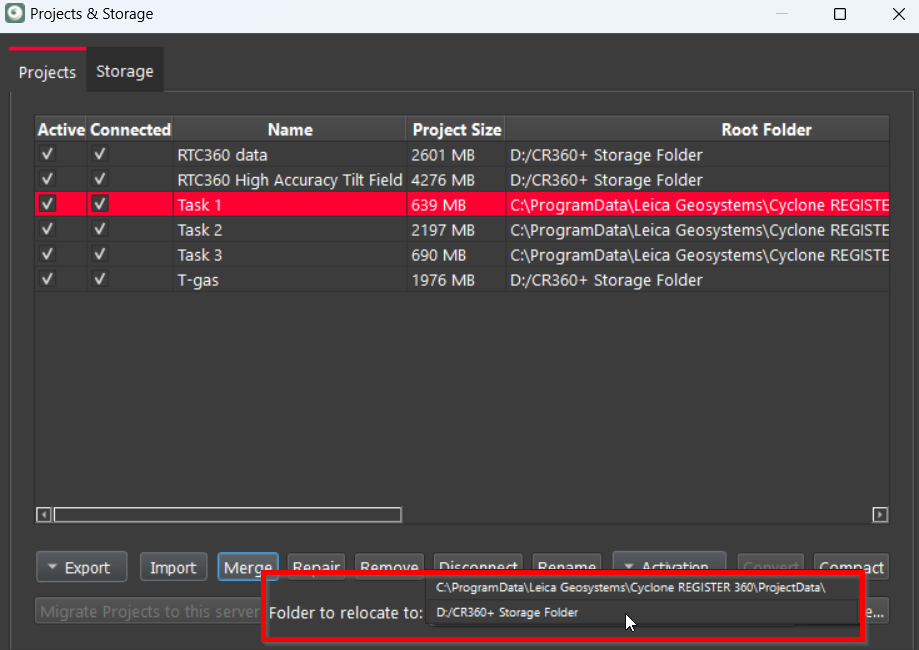
In the Folder to relocate to field, select the new location for the project from a drop-down list of your current folders.
-
Click Relocate.
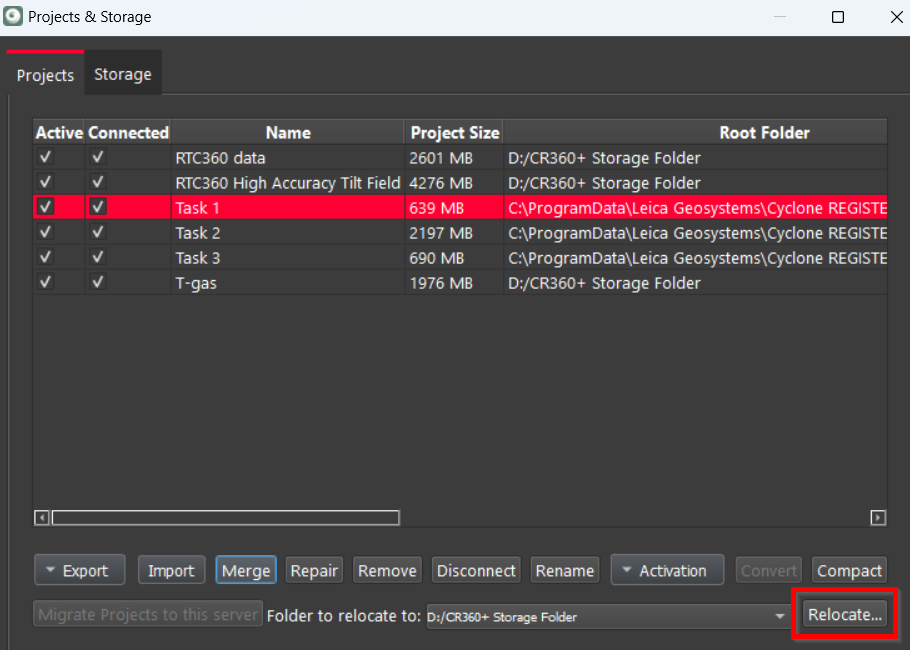
Project relocation can take a considerable amount of time, especially for large projects.
Avoid using the Relocate option to move large projects or multiple projects to external drives or a NAS drive. Any interruption in communication during the lengthy transfer process can cause significant issues.
Using NAS Drives
It is strongly recommended not to use Network Attached Storage (NAS) drives for storing your Project Storage folder. This is due to their temperamental nature regarding bandwidth, throughput, and network traffic, especially when multiple users access the network simultaneously. Cyclone REGISTER 360 PLUS requires a constant, clear path to the Project Storage folder, which NAS drives may not consistently provide. Additionally, NAS drives are not stable enough for prolonged use to ensure proper behavior within the program.