
This guide covers error reporting, detailing the meaning of each error metric and its impact on the accuracy of the registration. It also highlights differences in error reporting in Cyclone REGISTER 360 PLUS compared to Cyclone CORE.
Error Metrics
When the Bundle is optimized, the Properties panel displays various errors and associated link parameters that help assess the quality of individual links or the entire Bundle. You can check these metrics in Regular mode, which offers a global view, or switch to Advanced mode for greater flexibility when working with links in the Bundle.
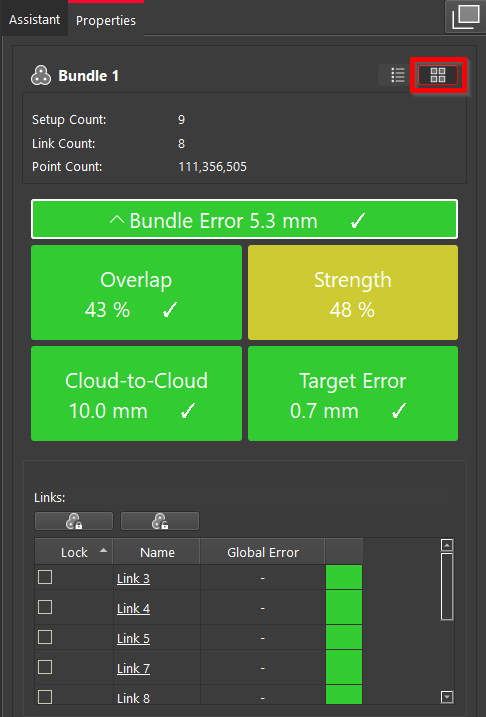
Regular mode of the Properties panel
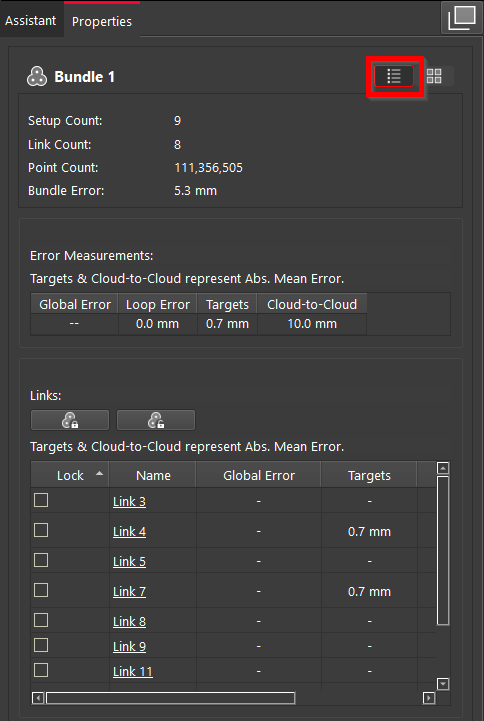
Advanced mode of the Properties panel
Bundle Error
This is the overall indicator of the link quality forming the Bundle, calculated as the average of Cloud-to-Cloud and Target errors.
Cloud-to-Cloud
This metric represents the average of all the Cloud-to-Cloud errors that have been encountered in the links. It is a reliable indicator of quality, directly reflecting the effectiveness of visual alignment.
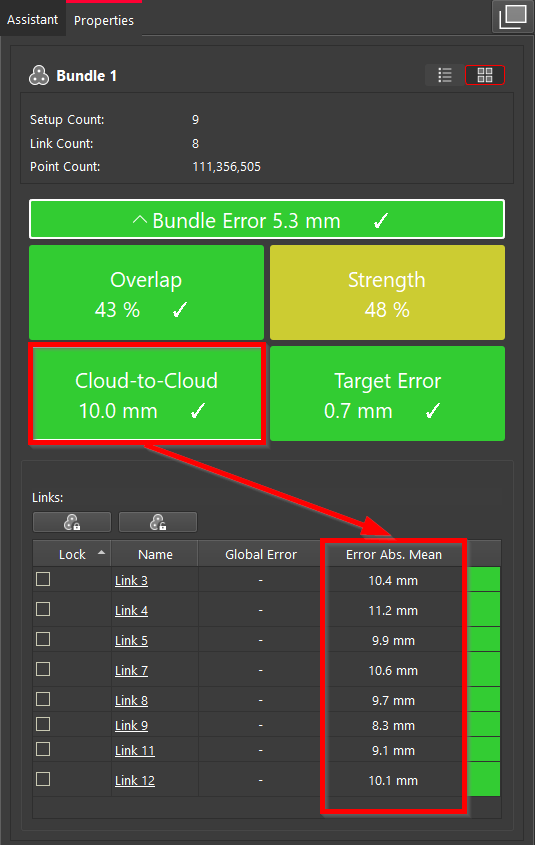
Cloud-to-Cloud error in Regular mode
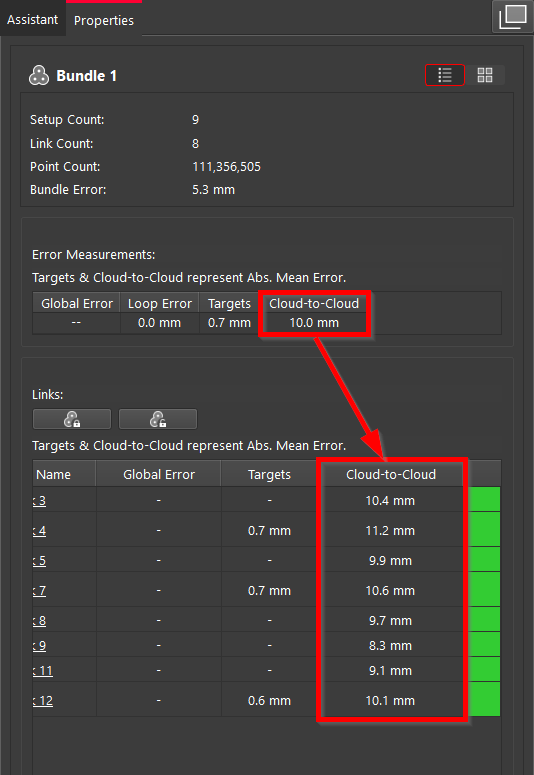
Cloud-to-Cloud error in Advanced mode
Target Error
This is the average distance between pairs of targets that are connected in an individual Setup.
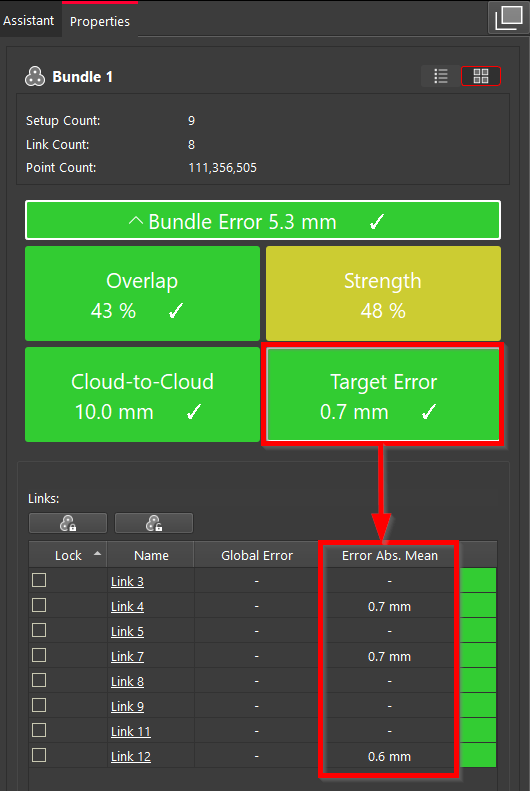
Bundle Target Error
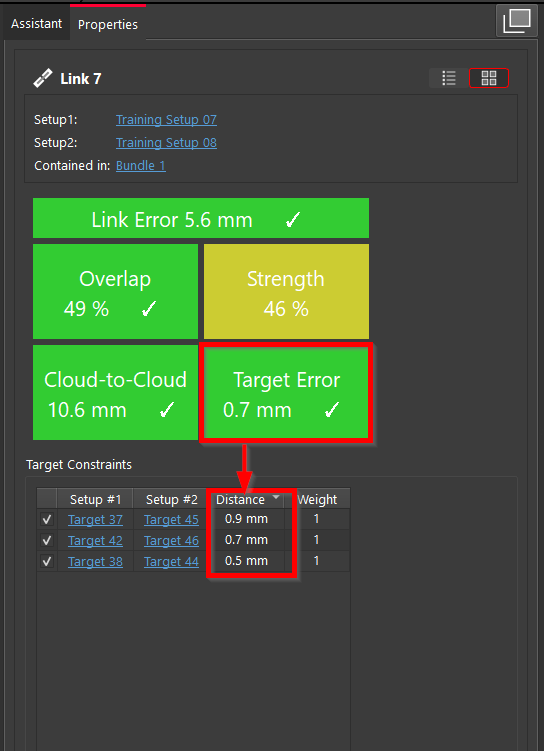
Link Target Error
Overlap
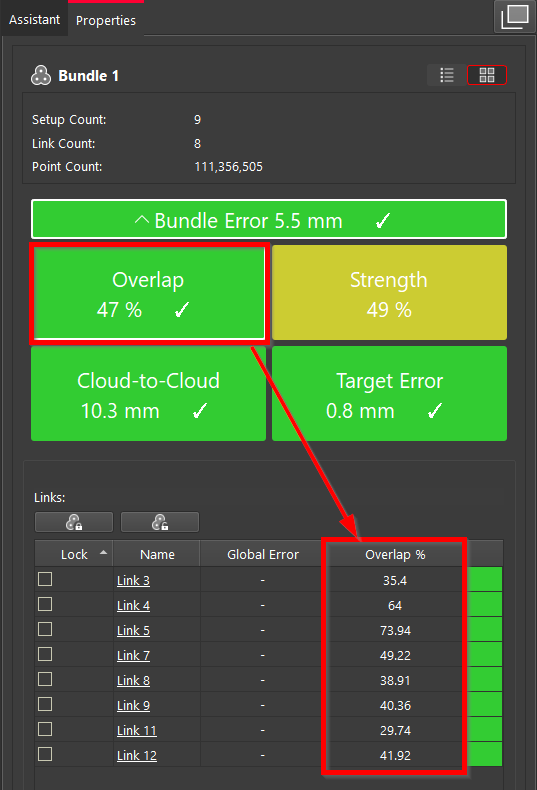
This is the average percentage of overlapping area in links. It indicates how much the two clouds overlap each other. While it serves as a useful diagnostic tool alerting you to potential issues, for example, having poor overlap in a particular Setup, it's not necessarily a definitive sign of a serious issue. Either way, the link should be examined to see if it should be improved or perhaps not used.
Strength
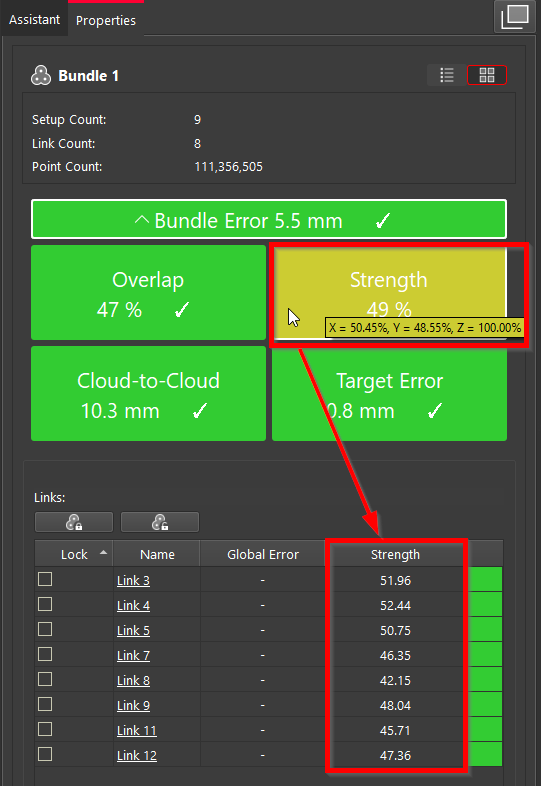
This metric helps understand how well data is translated and represented across the X, Y, and Z axes. The Z value will be calculated based on both the floor and ceiling, while the X and Y values will be derived from the walls.
Typically, a high strength value is obtained when all three axes are evenly represented, even if their individual representations are low.
When hovered over, it displays the percentage of data representation for each axis. When clicked, you can see a detailed view of Strength metrics for each link.
Cyclone REGISTER 360 PLUS vs. Cyclone CORE Error Reporting
Although the same registration is imported to both Cyclone CORE and Cyclone REGISTER 360 PLUS, the reported errors will differ.
This discrepancy arises because Cyclone CORE and Cyclone REGISTER 360 PLUS employ different methods for calculating the Bundle Error. In Cyclone CORE, the Bundle Error is calculated as the average of vertex errors and the global error. In contrast, Cyclone REGISTER 360 PLUS calculates the Bundle Error as the average of Cloud-to-Cloud and Target errors.
Summary
It is crucial to remember that while error metrics, such as Cloud-to-Cloud and Target Errors are important for assessing the Bundle Error and the overall quality of registration, they should not be solely relied upon. Visual verification remains a key method for ensuring registration quality.
It’s a common practice to use TruSlicer to visually inspect areas of concern. By capturing and including screenshots of various locations within the registration in their reports, users can provide additional proof of quality alongside the numerical metrics. This combined approach helps to better illustrate the accuracy of the registration.