
This guide covers advanced optimization and explains its difference from regular optimization. It also provides instructions on using the Advanced Optimization feature and outlines its benefits when registering large datasets.
Adding Suggested Links to Large Registration
When handling large registrations, including all suggested links in a Bundle can significantly increase processing time. This may cause the registration to become over-constrained, resulting in a time-consuming optimization process.
To ensure a bunch of links are added relatively safely to the large Bundle, follow the steps below:
-
Right-click the Bundle and select Show Suggested Links Within Bundle from the context menu.
The suggested links will be displayed as white dashed lines.
-
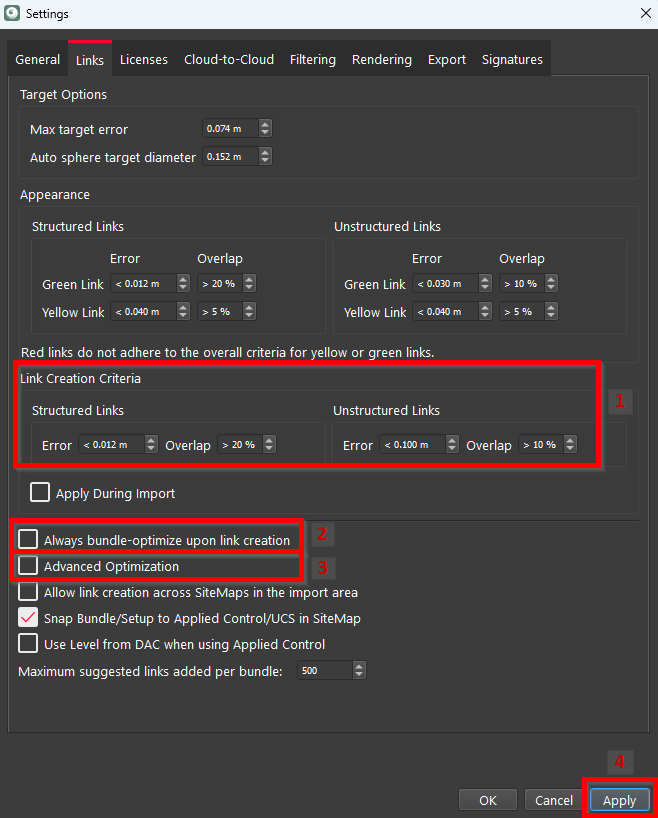
Go to Settings | Links and check the settings as follows:
-
Specify/double-check Link Creation Criteria to limit the number of created links by adhering to the specified link creation criteria.
-
Deselect the Always bundle-optimize upon link creation check box to ensure global optimization doesn’t run every time you create a new link.
-
Ensure Advanced Optimization is also disabled.
-
Click Apply to confirm the changes.
-
-
Select any suggested link in the graphical view and click the Add all visible suggested links button.

Cyclone REGISTER 360 PLUS will analyze all the suggested links and add only those that match the specified link creation criteria. Once added, they will be represented as green dashed lines.
Regular Optimization
After adding or modifying links, especially within a specific section of a Bundle, run regular optimization first. The main goal is to optimize the links locally in the area where changes were made, rather than performing a global optimization throughout the entire Bundle. This approach saves processing time, particularly when there are numerous iterations of link modifications.
To perform regular optimization, follow the steps below:
-
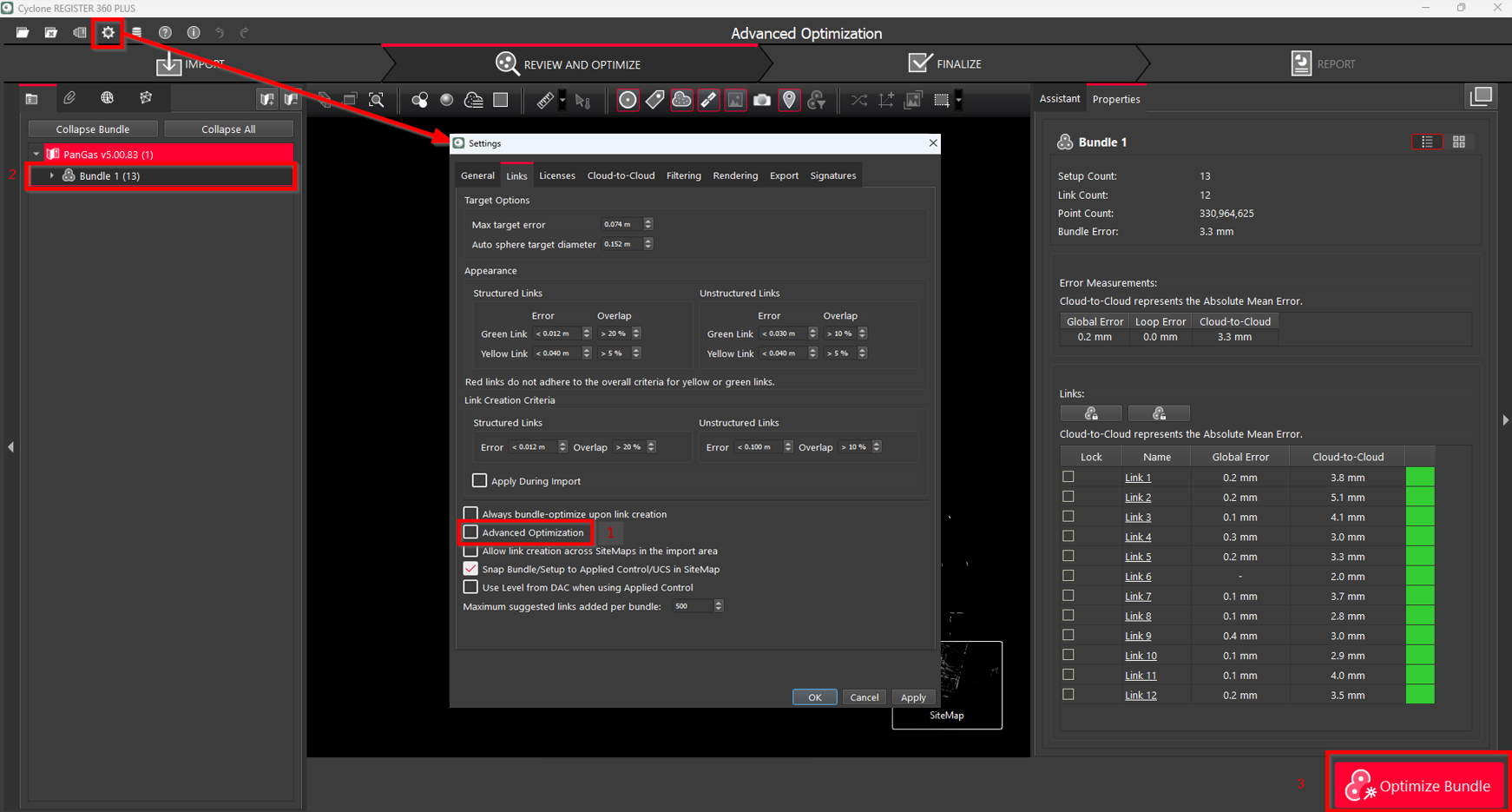
Go to Settings | Links and ensure Advanced Optimization is disabled.
-
Select the Bundle to optimize.
-
Click Optimize Bundle.
-
Wait until the links are optimized. The dashed green lines will change to solid green lines.
-
Verify link optimization both in numerical values and in TruSlicer to ensure your registration is good enough.
Advanced Optimization
Advanced optimization is recommended as the final step of the Bundle formation process to consolidate the actions taken. During the advanced optimization, Cyclone REGISTER 360 PLUS performs a comprehensive analysis of the entire network by going through every link and ensuring that every loop is rectified. While it may require a significant amount of time, it can enhance the registration and minimize error metrics. It is especially beneficial when dealing with highly overlapping, constrained links.
To run global Bundle optimization, follow the steps below:
-
Go to Settings | Links and enable Advanced Optimization.
-
Select the Bundle to optimize.
-
Click Optimize Bundle.
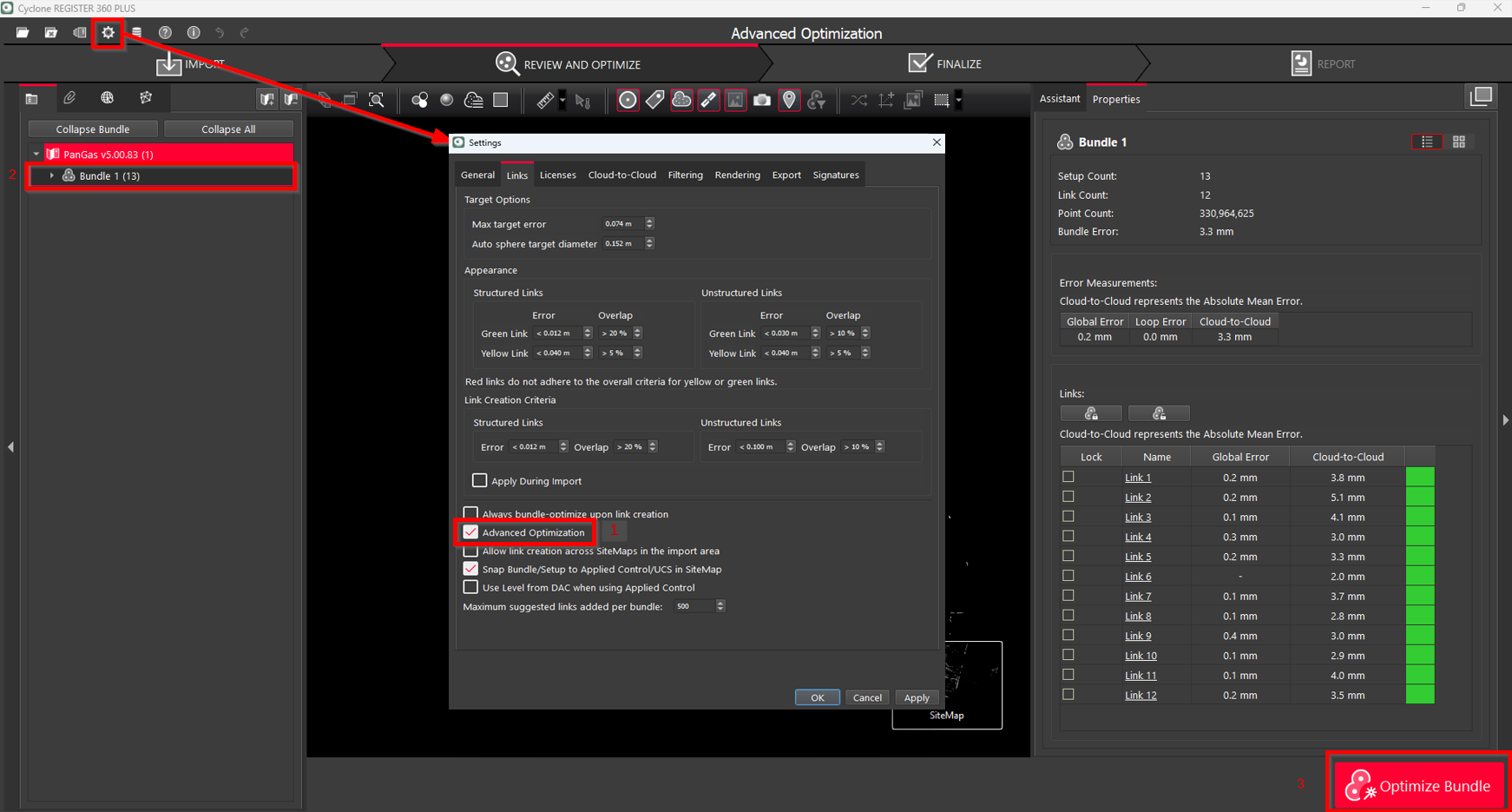
Compared to regular optimization, advanced optimization is a more time-consuming process. However, it can enhance the registration and minimize the resulting error metrics.
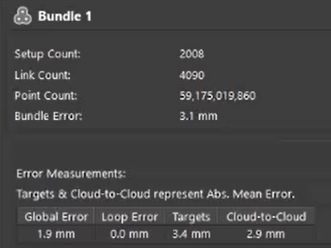
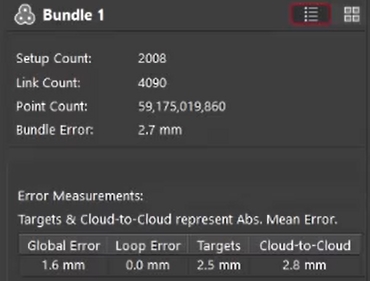
Error reporting before and after advanced optimization
Note: The Loop Error is always 0 after optimization.
In some cases, if new links are added throughout the entire Bundle rather than just in a specific area, the time required for regular optimization may increase because many areas will be affected by the new links. However, in this situation, advanced optimization will take less time because all the heavy-lifting links will be handled during regular optimization.
Summary
Advanced optimization is particularly useful when registering large datasets, especially those containing complex, heavy links and loops. Unlike regular optimization, which focuses on making local adjustments around newly added or modified links, advanced optimization performs a global analysis of the entire Bundle. Therefore, it is recommended to run advanced optimization as the final step in Bundle formation, after all links have been initially optimized. By doing this, you can save overall processing time, as you won't have to perform global optimization every time a new link is added or modified. Alternatively, advanced optimization can be used iteratively to summarize a set of actions and form a Bundle, but be sure to lock the finalized Bundle before moving to the next one.