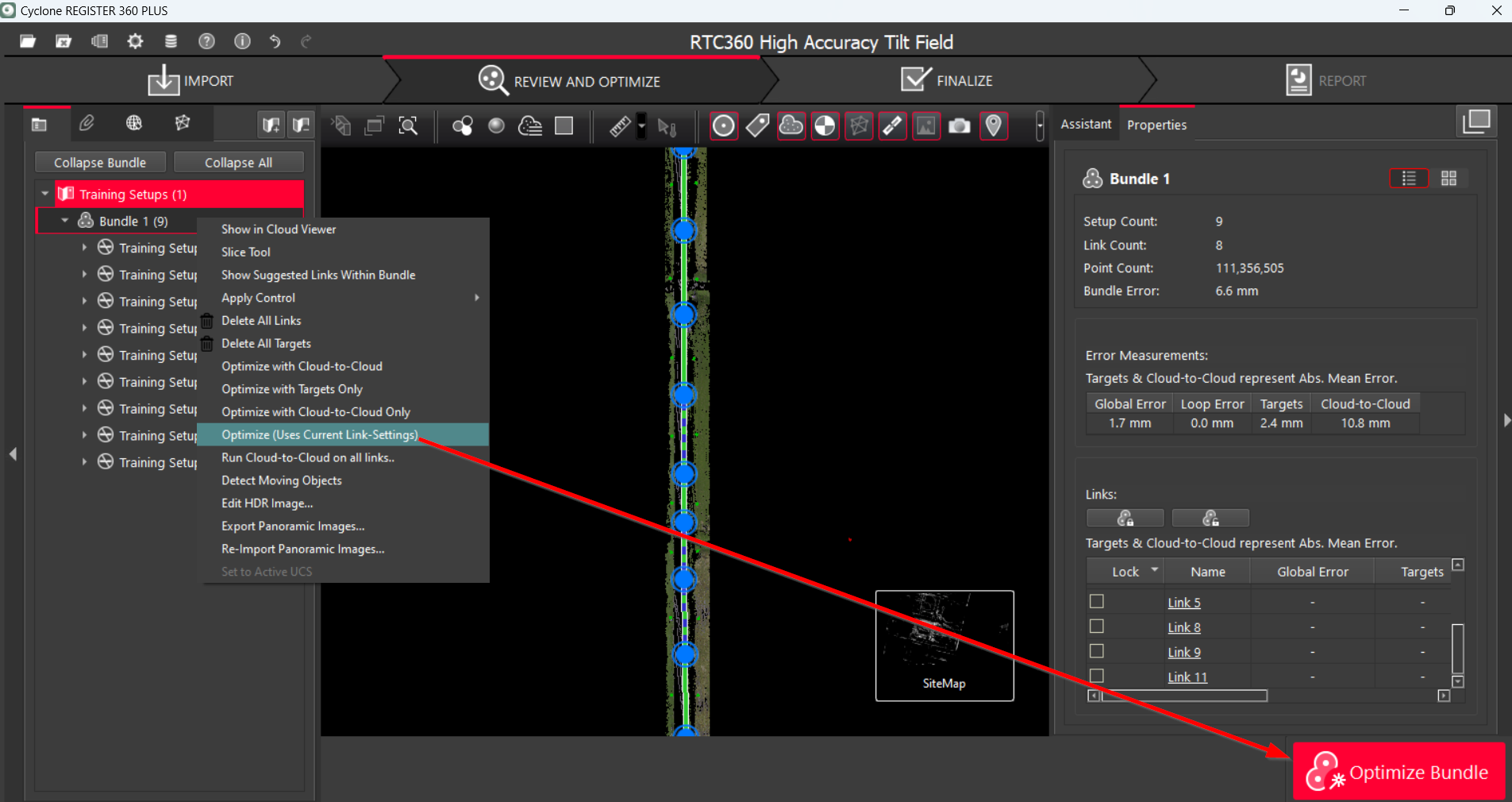
This guide will cover different options for Bundle optimization. By following the instructions below, you can easily understand the essence of each option and the peculiarities of their usage.
Bundle Optimization Options
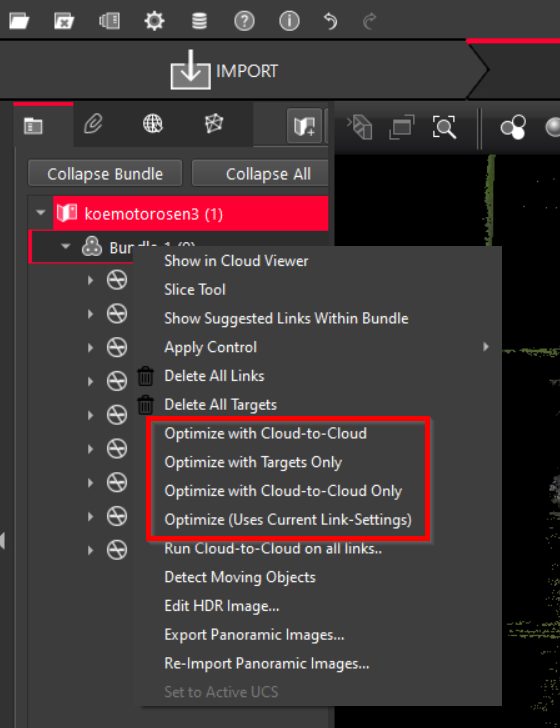
There are several Bundle optimization options available in the context menu of the selected Bundle:
-
Optimize with Cloud-to-Cloud
-
Optimize with Targets Only
-
Optimize with Cloud-to-Cloud Only
-
Optimize (Uses Current Link-Settings)
Optimize with Cloud-to-Cloud
To add Cloud-to-Cloud to the links that already include targets but lack Cloud-to-Cloud:
-
From the context menu of the selected Bundle, choose Optimize with Cloud-to-Cloud.
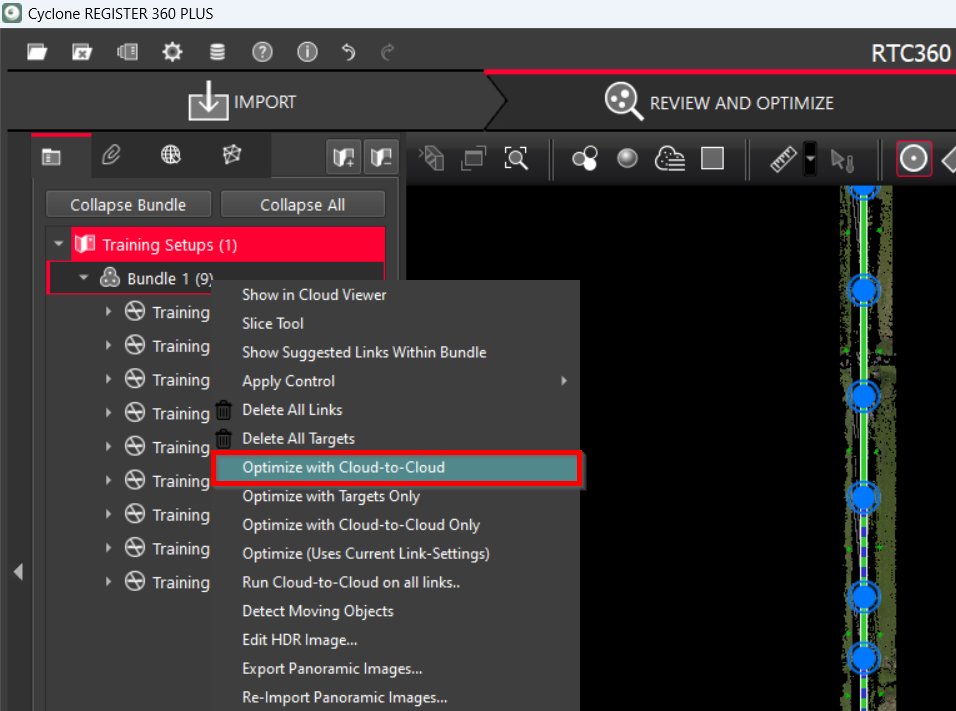
Note: If the Bundle was previously optimized with Cloud-to-Cloud only, resulting in the exclusion of targets, first add targets back to all links in the Bundle using the Optimize with Targets Only option and then repeat Step 1.
Optimize with Targets Only
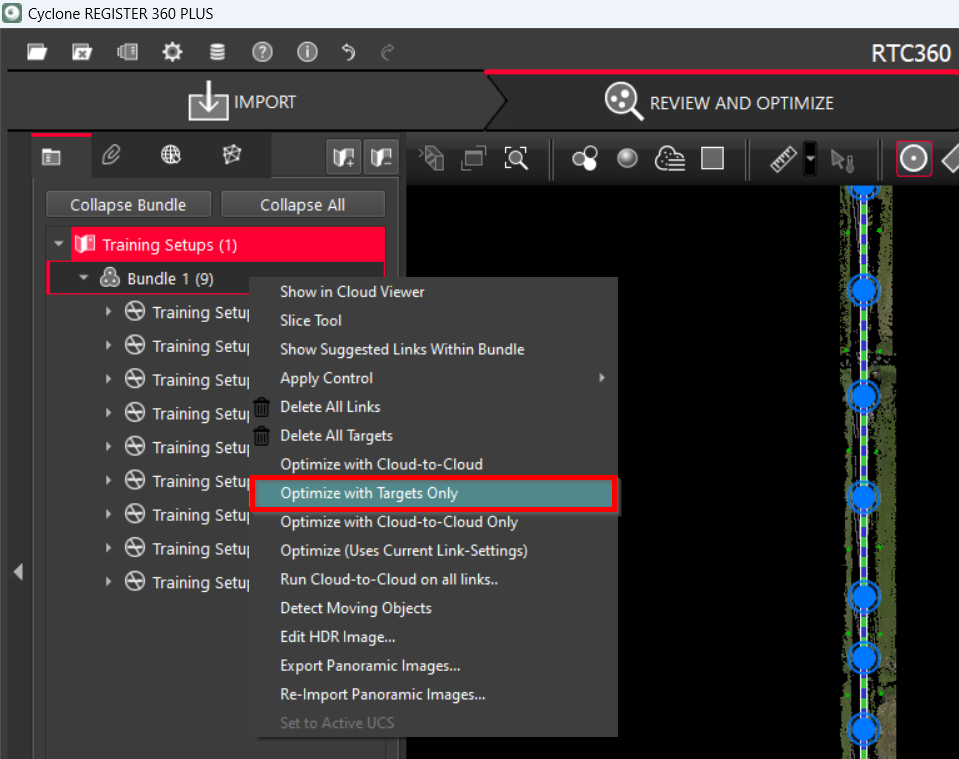
To optimize the Bundle solely with targets, excluding Cloud-to-Cloud:
-
From the context menu of the selected Bundle, choose Optimize with Targets Only.
-
Once you click OK in the Bundle Optimization dialog, the numbers for targets in the Properties panel will change. Despite the numbers being good, always inspect if they contribute to the registration.
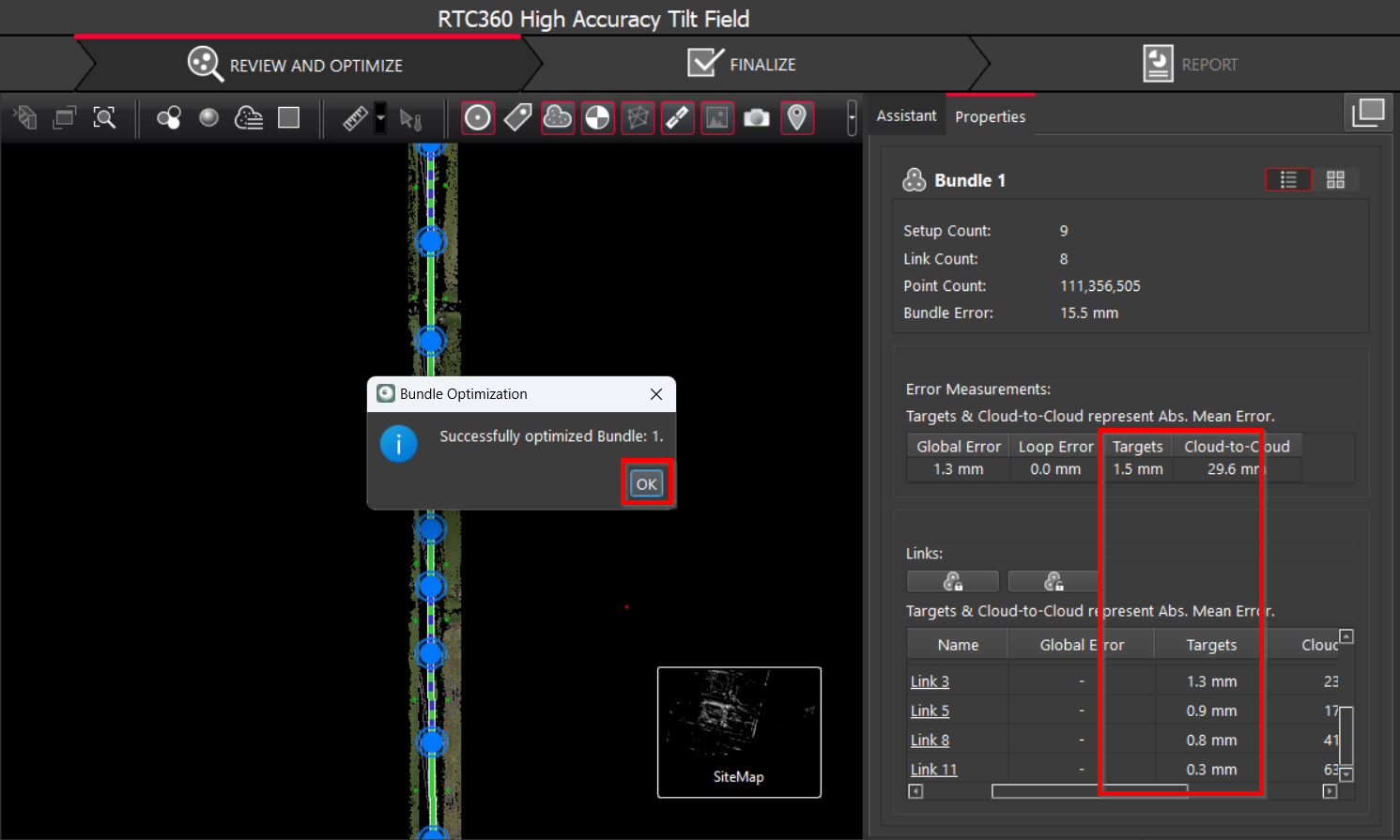
-
If you click on each individual link, you will see that the Use Cloud-to-Cloud option is turned off.
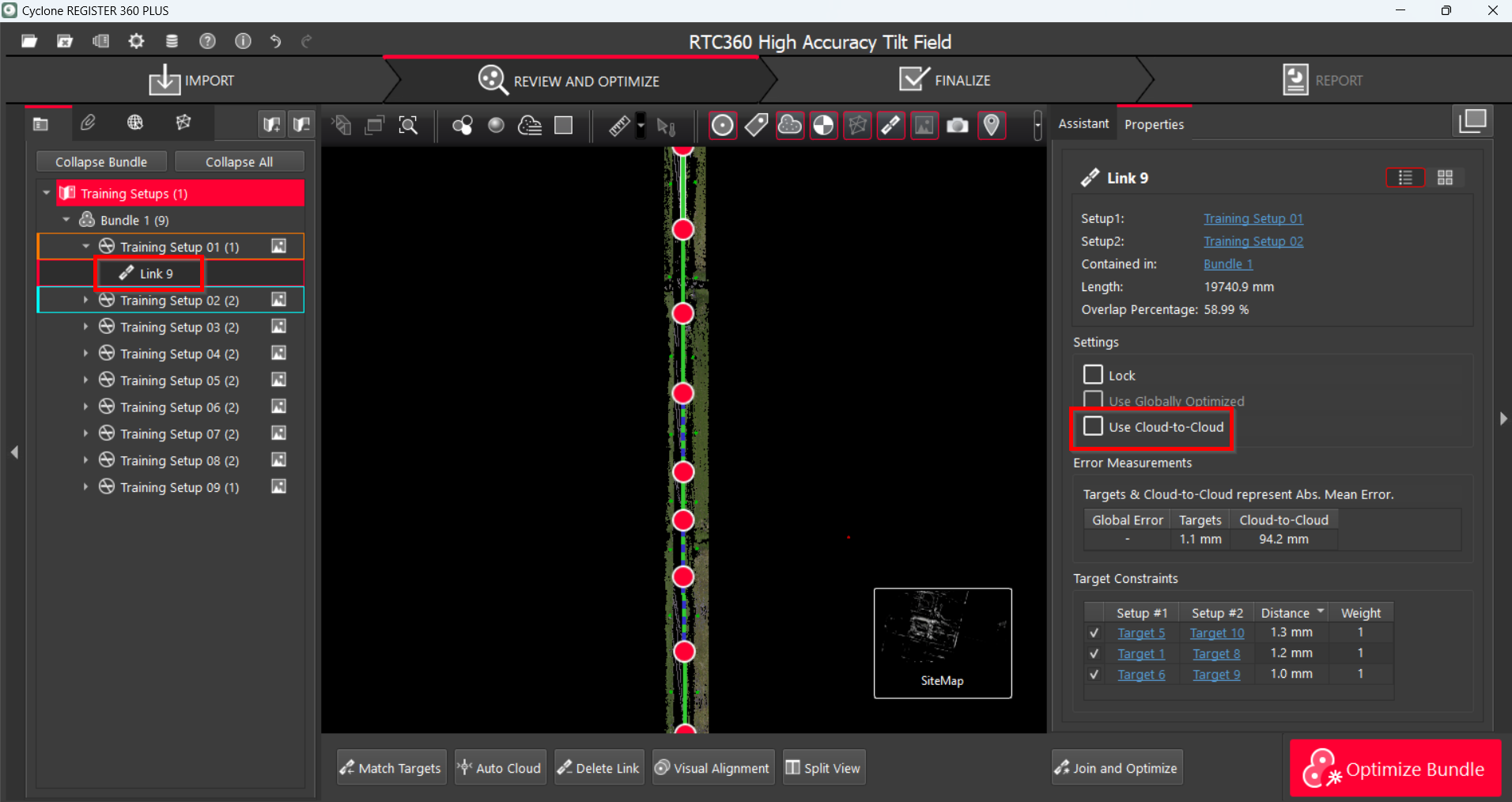
Note: To remove Cloud-to-Cloud constraints from a link, it must contain at least three targets. If a link has less than three targets, Cloud-to-Cloud will remain on for that particular link.
Optimize with Cloud-to-Cloud Only
To have the Bundle optimized with Cloud-to-Cloud constraints, excluding targets:
-
From the context menu of the selected Bundle, choose Optimize with Cloud-to-Cloud Only.
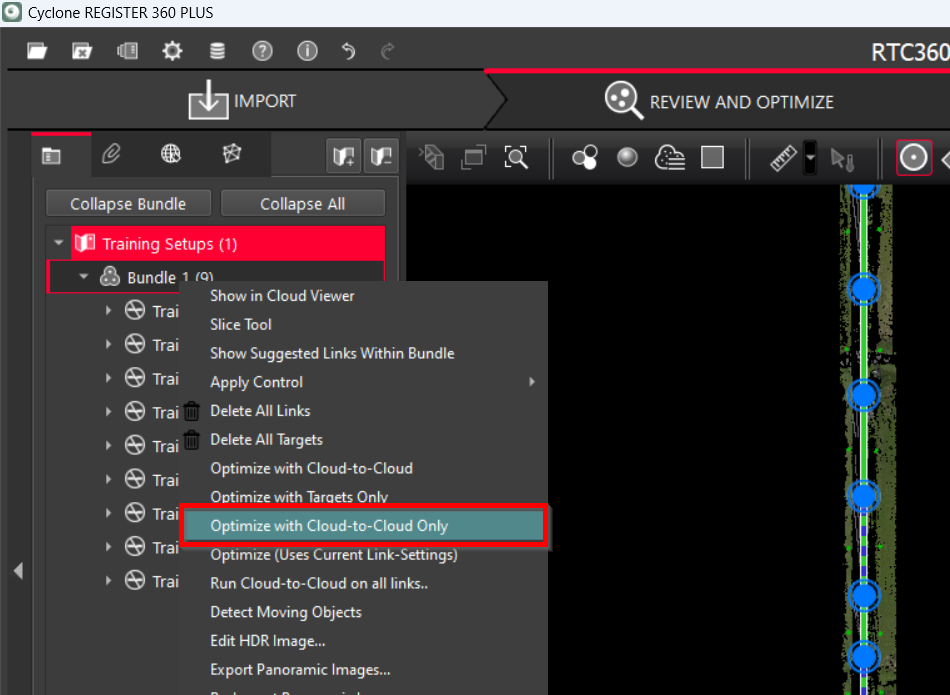
As a result, targets will be removed from the links. They will be excluded from target error measurements in the Properties panel.
Note: To add Cloud-to-Cloud constraints to the link, it must contain at least three targets.
Optimize (Uses Current Link-Settings)
This option is equivalent to the Optimize Bundle button in the lower-right corner.
-
From the context menu of the selected Bundle, choose Optimize (Uses Current Link-Settings) to optimize the Bundle using the preferred link settings.