
Once you receive an email indicating that your account is ready, follow these instructions to get API tokens needed for Cyclone ENTERPRISE deployment.
-
Select the Root User.
-
Enter the email address that you used for AWS registration. Click Next.
-
Enter the password. Click Sign In.
-
Enter iam in the search at the top of the page. You will immediately see the IAM entry under Services. Click IAM.
.png?cb=65926ddceb8b7e0dda588afabc3e3665)
-
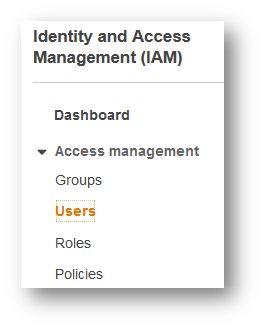
Select Users on the left panel.
-
Click Add User.
.png?cb=59af84744c9e2762f7a218340dd6fdc6)
-
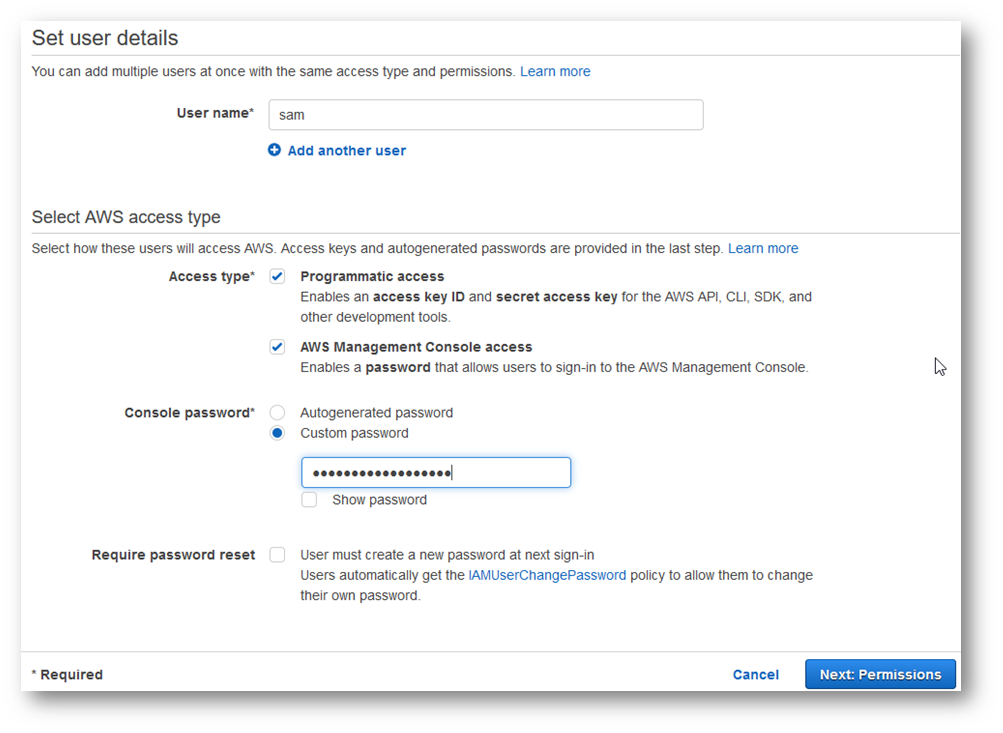
Enter your username.
-
Select both Programmatic access and AWS Management Console access.
-
Choose a Custom password and enter your password. Security best practice dictates that you should pick a new password that is different from that of your root username account.
-
Uncheck User must create a new password at next sign-in.
-
Click Next: Permissions.
-
Select Attach existing policies directly.
.png?cb=3e7092b0bfae1a7d031021321d887cfa)
-
Per good security practices, users should be given the lowest level of permissions to get their job done. We suggest creating a new IAM user that has access to EC2 resources only. Enter "amazonec2fullaccess" in the search box.
-
Select AmazonEC2FullAccess entry in the Policy name table.
-
Click Next: Tags.
-
Click Next: Review.
-
Click Create User.
-
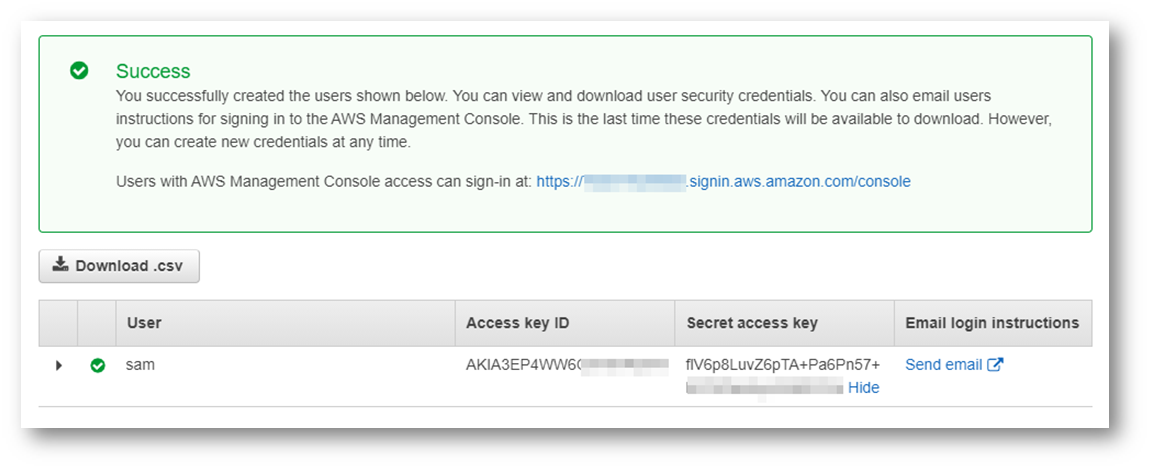
Click the Download .csv button. Keep the .csv file in a safe location. The file contains your Access key ID, Secret access key, and your Management Console access.
-
Access key ID and Secret access key are your API tokens. This is the only time AWS displays your API tokens. Make sure you write them down.
Note: Do NOT share the Access key ID and Secret access key with ANYBODY.
-
Save the URL for accessing AWS Management Console.
-
Click Close.