
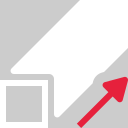
This command creates 3D mesh(es) of profile(s) extruded along a direction, with a given length.
Requirements
Select one or several profiles or group of profiles (polyline, trajectory, CAD wire, CAD curve or linear geometry) and launch the command.
-
Enter the Extrusion length
-
Choose the Extrusion direction. It can be achieved in 2 ways:
-
manually enter the direction by specifying every X, Y and Z axis values
-
click on
-
-
Check Close extremities, if you want a closed mesh as output (If at least one profile is not planar and / or not closed, the option is not available).