The Search Commands launcher is a popup menu which allows you to search and launch any command. It is an alternative to the top ribbon menu: all commands present on the ribbon are present in this launcher too.
When the 3D scene has the focus, press CTRL+ Q key on your keyboard to open the Search commands launcher menu. Or directly click the magnifying glass icon that you can see in the top right corner.
| The Search Commands launcher menu is split into 2 parts:
To execute the selected command, press Enter or click it using the mouse. A command is enabled only if the selection is relevant for it. |
|---|
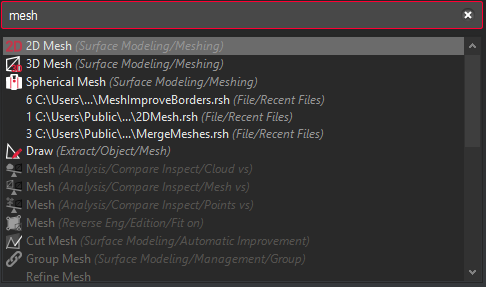
The search filter is really permissive:
the order of the words is not important.
you can write only part of the command name.
For example, both "edi col" and "col edi" in the search filter will give you the command Edit Colors.