
Summary
There may be instances of viewing issues in Cyclone REGISTER 360 PLUS. Point clouds and objects might not load at all, or they may load only partially or incorrectly. Sometimes the software may become unresponsive. These issues can arise from outdated or improperly configured graphics card drivers.
Workaround
To ensure optimal performance, it is recommended to install the latest graphics card drivers from the manufacturer’s website.
Note: Some laptops are equipped with two graphics cards. It is important to ensure that both graphics cards are updated with the latest drivers from the manufacturer’s website.
-
Navigate to the Start menu and open Control Panel.
-
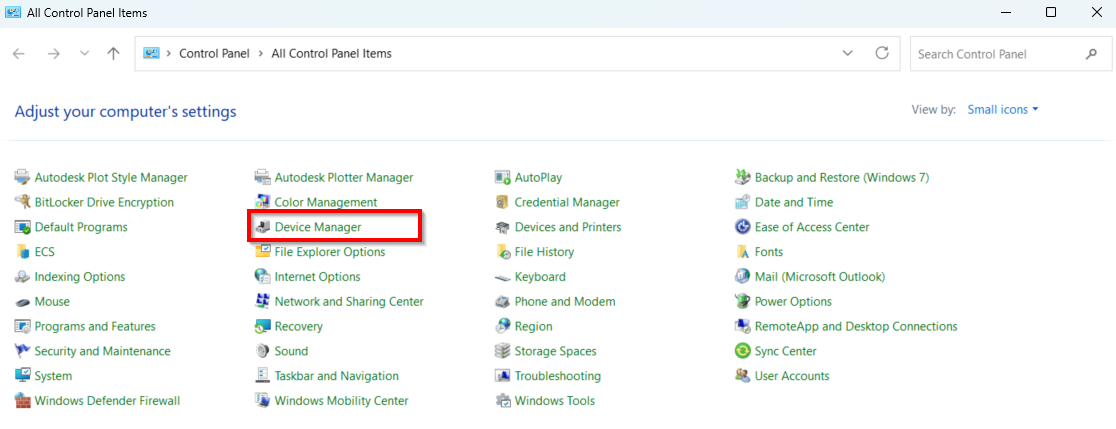
Click Device Manager.
-
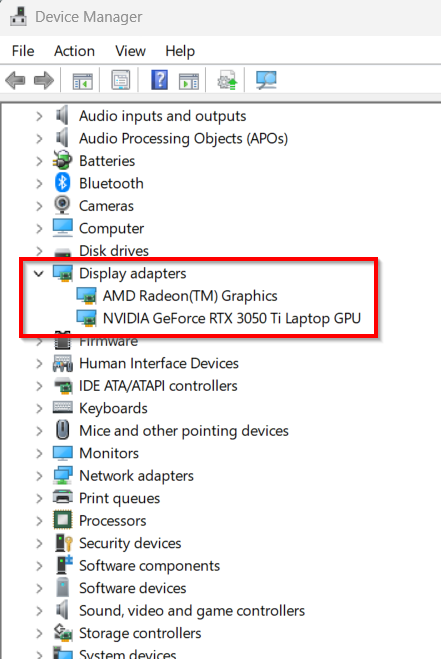
Go to Display adapters and select the graphics card for which the drivers should be updated.
-
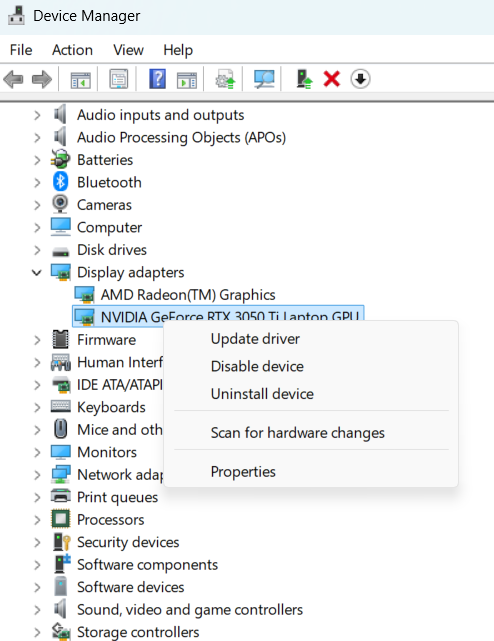
Right-click the selected card and select Update driver from the context menu.
-
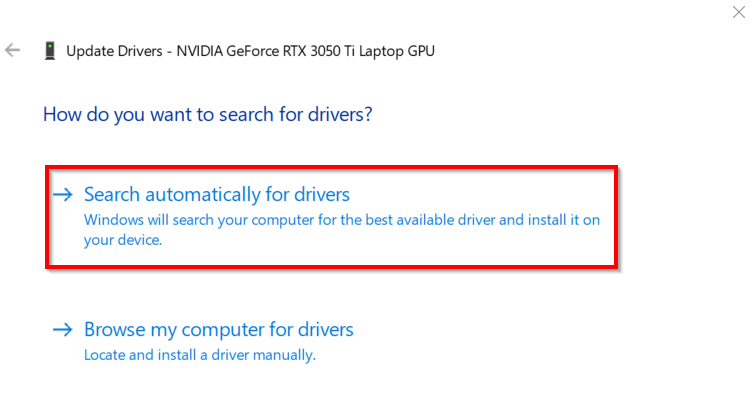
Search automatically for updated driver software.
-
Repeat Steps 3-5 for all available graphics cards.