Summary
Sometimes, graphics card anomalies, such as unexpected visual glitches or performance issues, can stem from how the system manages power rather than from the graphics card itself.
The user may notice screen flickering, abnormal shapes or colours, app freezing or lagging, black screens, and so on.
These issues can happen if the power management software limits the power available to the preferred graphics card.
Workaround
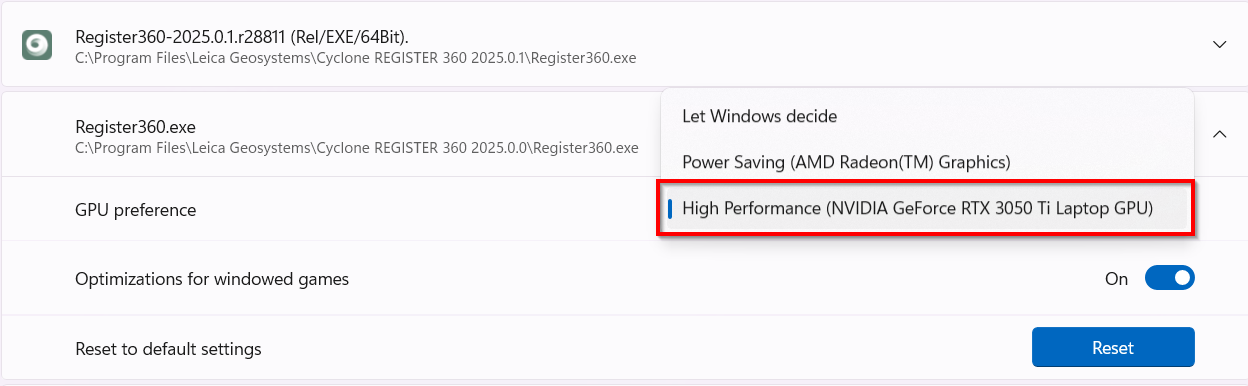
To prevent the issues mentioned above, set the power management profile to High Performance following the steps below:
-
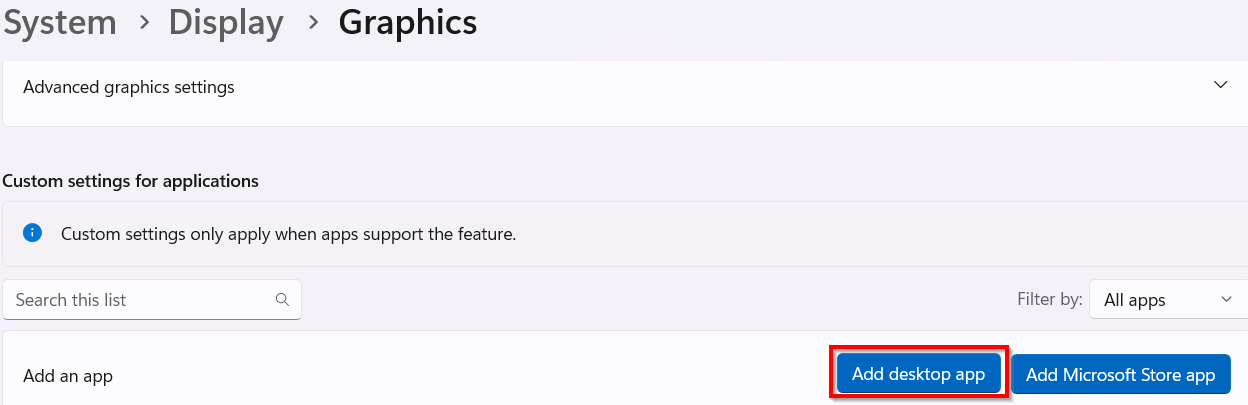
Open Windows Settings and navigate to System | Display | Graphics.
-
Click Add desktop app and browse to the executable file of Cyclone REGISTER 360 PLUS located in the Program Files folder.
-
Once added, select it from the list to see the customization options.
-
In the GPU preference field, select the High Performance option in the drop-down list.