
Bentley
Fitters | Fence To Fit | Adjust Tie Points
Command Line
-
MicroStation: CloudWorx Fit Adjust
This command is used to edit the end points of a centerline or surface of a cylinder created via the Pipe command.
Using the Tool
To adjust the end points of a centerline or cylinder, follow the steps below:
-
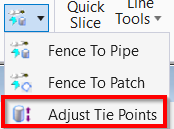
In the Fitters panel, select Adjust Tie Points from the Fence To Fit menu.
-
Select either the surface or centerline of the pipe you wish to adjust.
-
A highlighted object indicates a successful pick.
-
-
Click near the endpoint you wish to adjust.
-
A preview of the endpoint follows the cursor along the axis of the cylinder.
-
-
Click again to select a new position of the endpoint.