Function
Create a QA report comparing measured points to know distances to establish quality control protocols when using hand measurements, or data captured with total stations and GNSS equipment.
Procedure
Two measured points will be picked and the actual distance (slope distance) along with the coordinates of the points will be displayed on the dialog.
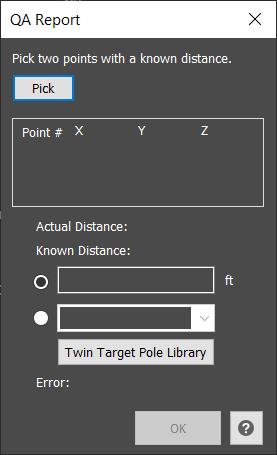
There are two methods to define the known distance: manually enter the known distance as measured from the scene or use the known distance defined by the Leica Twin Target Pole, which is independently calibrated by NIST, the National Institute of Standards and Technology. The user will define the TTP library to use for their specific pole that was measured at the scene.
The error will be displayed on the dialog.
The Ok button will generate a QA Report listing the Actual and Known distances as well as the Error.