Function
Leica GeoSystems ScanStation contains some important quality assurance features that help validate the integrity of your scanned data. Specifically:
Multi-Face Scanning allows you to scan a target from both the direct and reverse face of the ScanStation. The two scans will produce slightly different coordinates for the target, and the report will indicate the difference between the target position as scanned by each face.
Every Leica Geosystems Dual Target Pole is accurately measured by the National Institute of Standards and Technology (NIST) to determine the exact distance between the pole's two fixed targets, and the report will indicate the accuracy of the scan based on a comparison of this distance as scanned vs measured by NIST.
Please note that this command is compatible only with Leica Geosystems ScanStations and Targets (not other manufacturers), and at this time the target data is present only in Cyclone point cloud databases (not JetStream).
Note: Cyclone 9.1.3 (or newer) is required in order to add the target data to your point cloud during import.
Procedure
On starting this command, if your project contains a Cyclone point cloud containing target data, you will see the Scanner QA dialog.
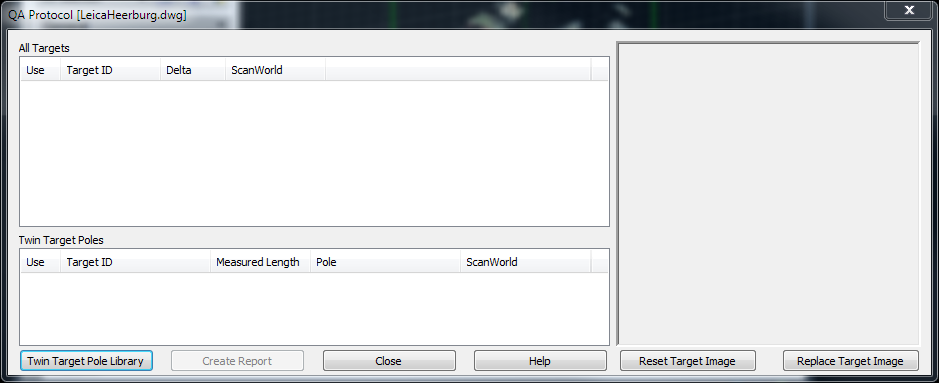
This dialog contains a list of all targets in the project, and clicking on any target in the list will display a preview of that selected target.
If the automatically generated preview is for some reason obstructed or otherwise unclear, you can opt to use the "Replace Target Image" button to update the selected target's image with a screenshot from the CAD display.
If any potential Twin Target Poles are detected in the scan (that is, two targets that are in proximity to each other as specified in the Options screen) they will be listed in the Twin Target Poles list. Because it is possible that two independent targets may be falsely detected as a Twin Target Pole, in such a case you will want to uncheck its "Use" option to exclude it from the report.
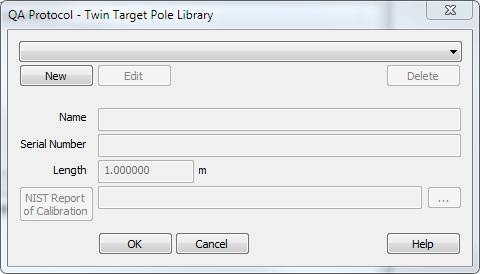
Twin Target Pole Library
The Twin Target Pole Library is used to enter the details for your Twin Target Pole(s), including: a friendly name, its serial number, the distance and uncertainty between its two fixed targets (as measured by NIST), and the path and filename of the Calibration Report as provided by NIST.
Report
The generated report will consist of three report types:
A one-page "Target Report" will be generated for each target in the "All Targets" list that is marked with a "Use" checkbox. The report will include:
Target ID (as entered in Cyclone during the scan routine)
Target Type (as determined by Cyclone during the scan routine)
Time of Scan
ScanWorld ID
Distance from the Scanner to the Target
Target Coordinates resulting from the Face 1 scan
Target Coordinates resulting from the Face 2 scan
Difference (deltas) between the Face 1 and Face 2 target coordinates.
A screenshot showing the target
A one-page "Dual Target Report" will be generated for each target in the "Dual Target Poles" list that is marked with a "Use" checkbox. The report will include:
Name (as defined in the Twin Target Pole Library)
Serial Number (as defined in the Twin Target Pole Library)
Time of Scan
Target 1 ID & Type
Target 2 ID & Type
ScanWorld ID
Distance from the Scanner to the Twin Target Pole
Distance between the two targets, as scanned
Distance between the two targets, as measured by NIST
Difference between the scanned distance and the distance measured by NIST
A screenshot showing the target
The one-page Calibration Report, as provided by NIST.
A one-page NIST report for each Dual Target Report will also be included.
The Report will be generated as a PDF document and can be viewed with any PDF viewer, such as Adobe Acrobat Reader.