-
Select Premium SSD (locally-redundant storage).
-
Accept default Encryption type selection. You can optionally choose to manage encryption key yourself.
-
Leave Ultra Disk compatibility unchecked.
-
Choose Create and attach a new disk.
-
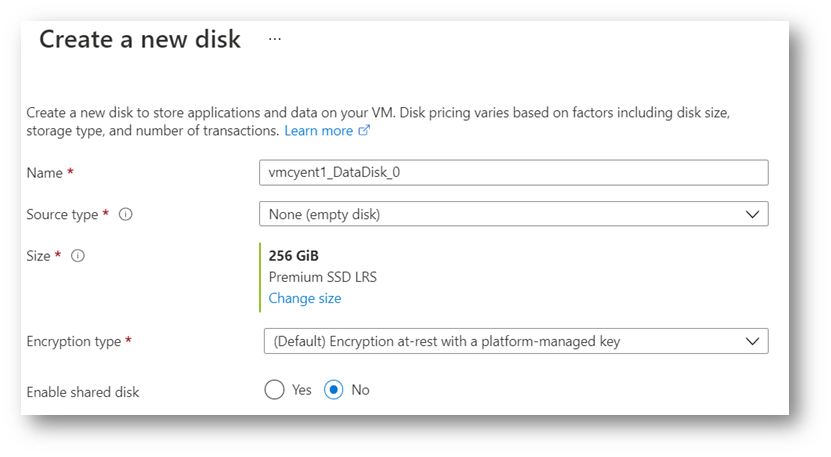
On Create a new disk page, accept default Name and Source type.
-
Click Change size and select the desired data disk size for your VM.
-
Select No for “Enable shared disk”.
-
Click OK.
.png?cb=1a9dece8dd4f5c076f8015ec3da1b8c2)
-
Click Next : Networking >.
