
This tool allows users to edit panoramic images by manually adding blur or automatically blurring car plates and human faces.
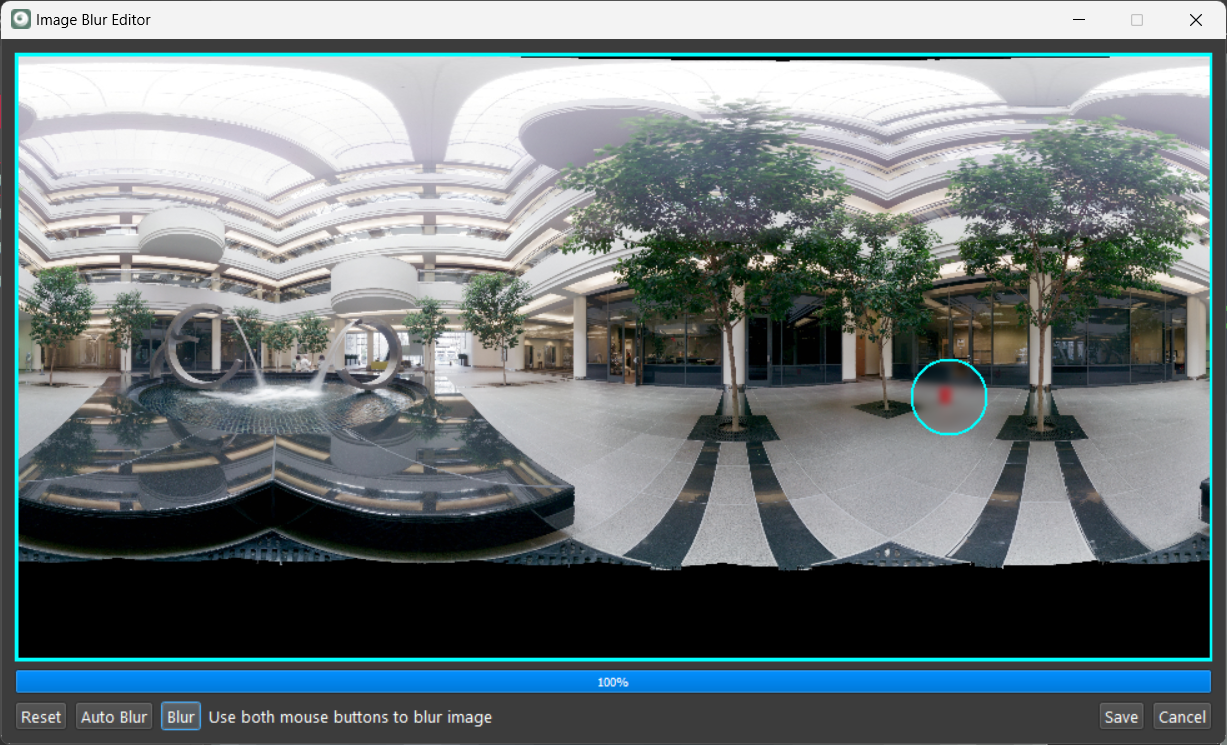
The Image Blur Editor tool includes the following functions:
-
Reset: Removes the current blur filters and restores the full zoom view.
-
Auto Blur: Automatically blurs car plates and human faces.
-
View/Blur/Clear: This multi-purpose button allows users to manually add blur filters using mouse operations.
-
Save: To save the applied blur filters.
A Cyclone REGISTER 360 PLUS or WORKFLOW license is required to use the Auto Blur option.
To manually add the blur:
-
Click on View to display the blur brush circle.
-
The brush size can be changed using the mouse scroll.
-
Users may switch between the blur and clear view using the multi-purpose button.
-
-
Use the left click to move the blur brush to the desired location.
-
Click both the right and left buttons to apply the blur.
-
Click Save to store the blur filters and close the tool.