
AUTOCAD PRO bricscad pro ULTIMATE
Tools | Workplane Mode On/Off
Command Line
-
AutoCAD / BricsCAD: CWWPMODE | ON/OFF
The Workplane follows the UCS and provides a fast, easy, and accurate support when creating 2D drawings from 3D data. When turned on, all points that are snapping to the point cloud will be projected to the Workplane. However, the SmartPicks will override the Workplane when both are on.
Using the Tool
To turn on the Workplane mode:
-
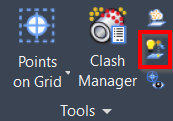
Click the Workplane Mode button in the Tools panel or type a command line prompt specific to the preferred CAD system and press ENTER.
-
The Workplane will turn on/off.
-
Note: The Workplane will follow the orientation of the UCS.
-
To edit the Workplane settings, click the Workplane button in the Tools panel.
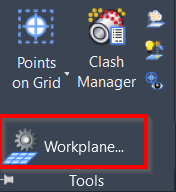
Refer to the Workplane Settings page for more details.
Note: The SmartPicks will override the Workplane if both are on.