
autocad pro bentley bricscad pro ultimate
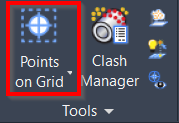
Tools | Points on Grid
Command Line
-
AutoCAD / BricsCAD: CWPONGRID
-
MicroStation: CloudWorx POG
This command provides easy-to-use tools for defining a grid on the ground and selecting an area of interest for inserting survey ground points. The user can launch an automated algorithm that intelligently places survey points using a selected SmartPick setting.
Using the Tool
To generate points on a grid:
-
Click the Points on Grid button in the Tools panel or type a command line prompt specific to the preferred CAD system and press ENTER.
-
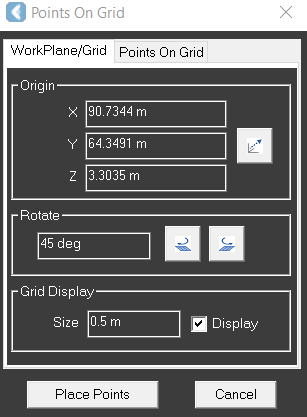
The Points on Grid dialog will open.
-
-
On the WorkPlane/Grid tab, go to the Grid Display section and set the desired size of the grid and select the Display check box.
Note: The grid orientation will follow the UCS. The user can orientate the UCS prior to creating points on a grid.
-
On the Points On Grid tab, in the Parameters section:
-
Choose which SmartPick Method is desired.
-
Choose the Ground Search Radius.
-
Choose the Result Type.
-
Change the default Raw Description if desired.
-
-
Click Place Points. Preview is not required. However, it will temporarily show where points will be placed.
Refer to SmartPick Viewport for a description of each pick mode.