
Orientation | Workplane
This menu provides tools to set the CAD’s UCS and Workplane based on the point cloud.
The menu includes the following options:
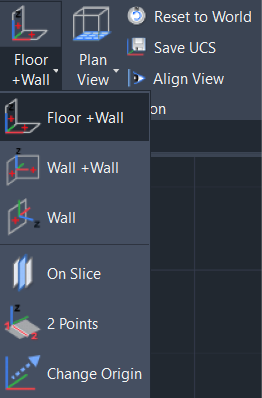
A Workplane in CAD software is like a virtual piece of paper for the drawing to be created on. However, in CAD software, the user works in a 3D space, so the positioning of the Workplane in relation to screen pixels is crucial. For example, when drawing a wall, it’s essential to have a Workplane parallel to the wall to achieve accurate results.
Common Features of Menu Options
The Wall tools fit temporary patches on a point cloud using point picks selected by the user which can then be used to define vertical and horizontal features to set the UCS to.