AUTOCAD BASIC AUTOCAD PRO bricscad basic bricscad pro ULTIMATE
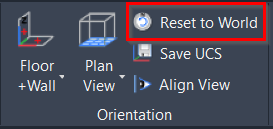
Orientation | Reset to World
Command Line
-
AutoCAD / BricsCAD: CWWORKPLANE | WORLD
This command aligns the UCS to the World Coordinate System (WCS).
Using the Tool
To revert to the World Coordinate System:
-
Either click Reset to World in the Orientation panel.
-
Or type a command line prompt specific to the preferred CAD system.
The UCS will be set to World and orientated to the Top view.
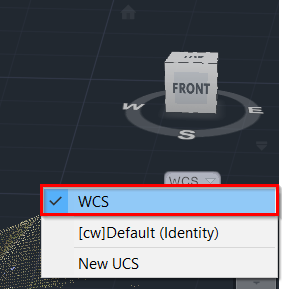
Note: This action is equivalent to selecting the WCS option from the coordinate system drop-down below the View Cube, except that Reset to World also zooms in to the origin of the coordinate system.