
The Undo/Redo operations are supported in the Review and Optimize area. To undo the last action, the user should press CTRL+Z, and redo it - CTRL+Y.
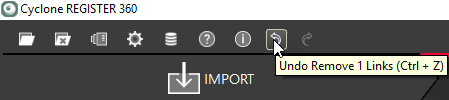
Once a supported action is taken the Undo/Redo buttons highlight. Hovering over the icon will show the action that will be undone:
Undo/Redo is available for the following operations:
-
Adding, deleting, or modifying Links
-
SiteMap creation and deletion
-
Optimization of Bundles
-
Adding applied control to a Setup or Bundle
-
Adding assets
-
Deletion of Setups
-
Updating a Setup
-
Adding and removing targets
-
Adding and removing assets
-
Adding and removing GeoTags
-
Adding, removing, and updating the SiteMap
-
Adding, removing, and updating applied control
-
Creating WayPoint