
AUTOCAD BASIC AUTOCAD PRO bricscad basic bricscad pro ULTIMATE
Orientation | Elevation View
Command Line
-
AutoCAD / BricsCAD: CWWORKPLANE | ELEVATION
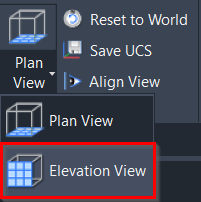
This command will toggle the X- and Z-axes of the UCS to make it easy to orientate to the Elevation View.
Using the Tool
To orientate the view to the Elevation View, follow the steps below:
-
Activate the tool using any option below:
-
Select Elevation View in the Orientation panel.
-
Type a command line prompt specific to the preferred CAD system and press ENTER.
-
The UCS will be orientated to the X- and Z-axes.
-
Click the Align View command in the Orientation panel, and the point cloud will be orientated to the Elevation View.