
AUTOCAD BASIC AUTOCAD PRO bentley REVIT navisworks bricscad basic bricscad pro ULTIMATE
Project | Point Sources…
Command Line
-
AutoCAD / BricsCAD: CWREF
-
MicroStation: CloudWorx Refs
This command allows users to open and manage several point sources simultaneously.
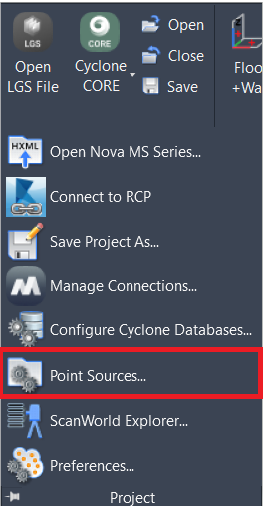
See the Point Source Compatibility table for more details.
Note: Multiple point sources will be present when loaded using the Append option.
Using the Tool
To open the Point Source Manager, follow the steps below:
-
Click Point Sources in the Project panel or type a command line prompt specific to the preferred CAD system and press ENTER.
-
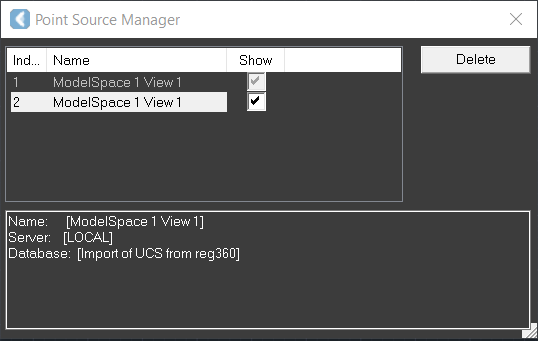
The Point Source Manager dialog opens.
-
-
Select or deselect the Show check box next to the point source to control the visibility of the whole point source.
-
Click the Delete button if you need to delete an additional point source from the CloudWorx project. The points are unloadedб but no object or file has been deleted.
Note: It is impossible to delete the Master point source, which is the 1st entry in the list.