
Users can choose to publish only the points inside of existing Limit Boxes to E57, PTS, and RCP as a single cloud. Publishing only a Limit Box allows users to selectively reduce the size of an export to only a certain area of interest and speed up the publishing process.
Points exported by Limit Box will be exported as unstructured data.
-
Create Limit Boxes per normal procedure.
-
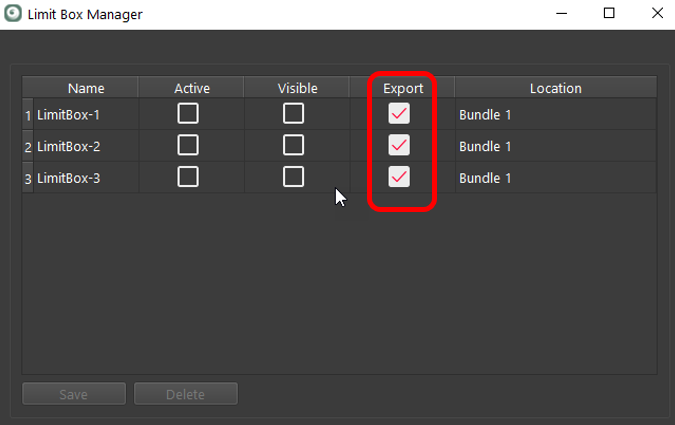
Save Limit Box and select the Export check box.
-
Proceed through the Finalize to the Report area.
-
Select the desired publish format. The following formats are supported: PTS, E57, and RCP (cloud).
-
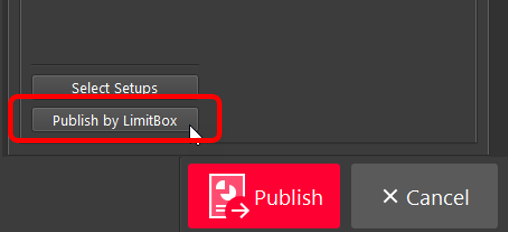
Click Publish by LimitBox.
-
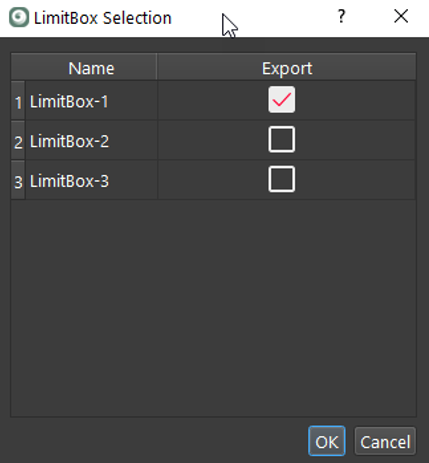
Select the desired Limit Boxes to publish and click the OK button.
-
Proceed to the Publish step to complete the process.
Note: All points published this way will be in an unstructured format, so the export will not import back into Cyclone REGISTER 360 2020 or earlier.