Skip table of contents

Layout panel

Global layout options are available at the same location as options panel when you haven't selected anything in the Template View.
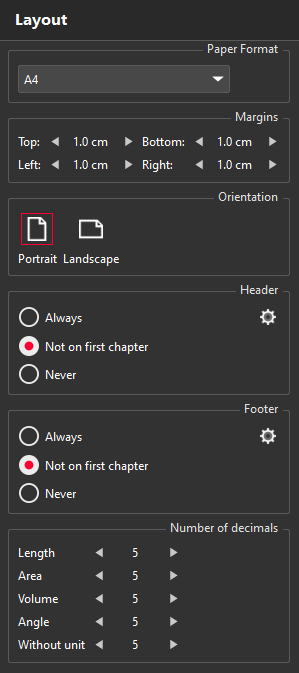
  1. Paper format: choose the report paper size.

  2. Margins: set the margins.

  3. Orientation: choose either portrait or landscape.

  4. Header: choose which pages need a header. You can load or export the header in a template.

  5. Footer: choose which pages need a footer. You can load or export the footer in a template.

  6. Number of decimals: choose the number of digits for numerical results. Those values are loaded from the current report configuration.

JavaScript errors detected

Please note, these errors can depend on your browser setup.

If this problem persists, please contact our support.
