Reminder:
A chapter is the translation of a report data into a report. Thus, you can customize your report thanks to native templates, modify the chapter (refer to Template View) and transform it into new templates.
All chapters, which are in the chapters panel, will be put together to define a report.
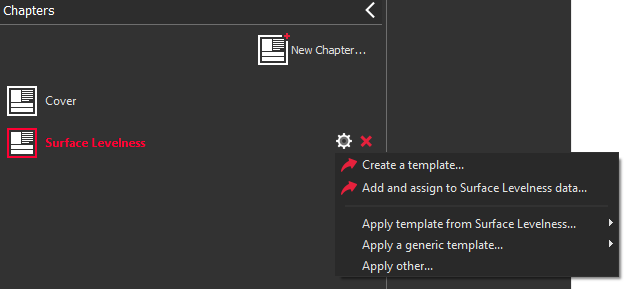
| Click on New chapter...: to add an empty chapter in your report to add a new chapter from a template
Click on  to manage templates: to manage templates: Create a template...: a new template will be added to the template library. Add and assign to [...] data...: a new template will be added to the template library and defined by default to a report data category. Apply template from [...] ...: choose a template among the designated templates. Apply a generic template...: choose a template among the generic templates. Applyother...: choose a template among template library.
Click on  to remove the chapter from your report. to remove the chapter from your report. Drag and drop a chapter to sort them.
|
|---|