
Image enhance improves the panoramic imagery captured with the BLK360 G2 — giving you better colour, brightness, and sharpness. When an asset meets the requirements below, you can run the enhancement from the asset explorer; the enhanced panoramas are then shown in the viewer and used when you mesh the asset.
Requirements
Image enhance is offered only when your upload meets all of the following:
-
Every setup captured on a BLK360 G2 (mixed-device datasets aren't supported).
-
BLK360 G2 on firmware 2.0 (released March 2025) or newer.
-
Data processed in Register 360 (or Register 360 BLK Edition) 2026.0.0 (released February 2026) or newer.
-
Uploaded to GeoCloud as an LGSx, with HDR panoramas included at full quality.
Image enhance processing consumes your subscription quota.
Enhance your images
-
Open an asset that meets the requirements above.
-
In the asset's Artifacts panel, open the panorama card and select Image enhance.
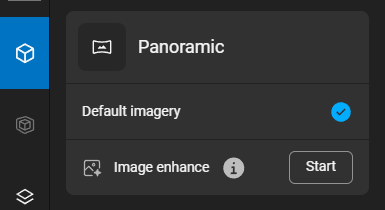
Image enhancement -
Confirm to start. The enhancement runs as a processing pipeline; while it runs, other processing on the asset is paused until it finishes.
-
When it completes, the panoramas are marked Enhanced imagery and the enhanced version is shown automatically in the viewer.
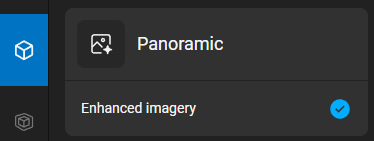
Complete image enhancement
Good to know
-
Image enhance is opt-in and runs per asset.
-
Enhancement is one-way: to return to the original images, re-upload the asset.
-
Only one process runs on an asset at a time, so any other processing waits until enhancement finishes.