Follow a Livelink capture while the crew is still on site
Scans shared with Livelink from Cyclone FIELD 360 now appear in Hexagon GeoCloud while the crew is still scanning, so you can check coverage and spot gaps before they leave the site.
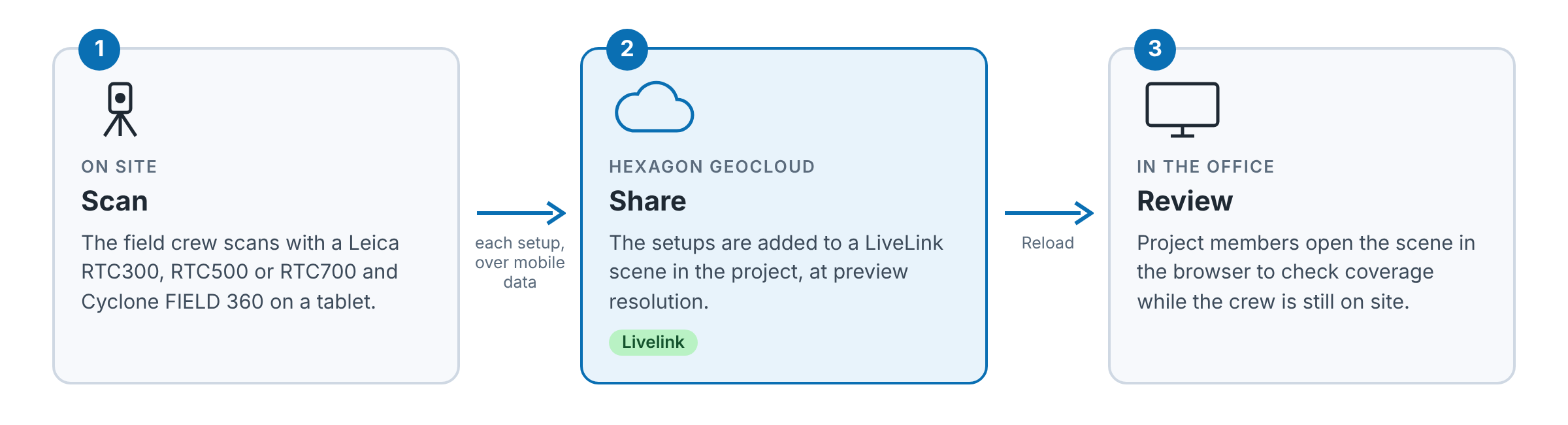
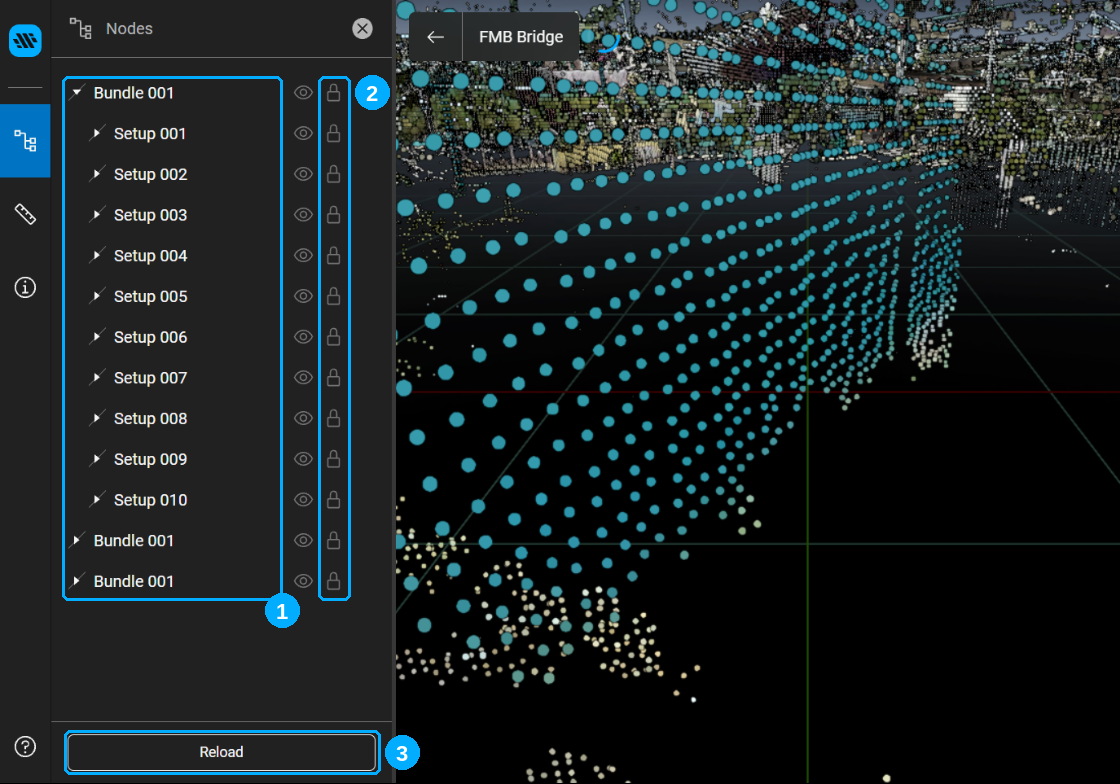
Open the scene from the project's Scenes tab, where it has a green Livelink label, and click Reload to load the latest setups. See Livelink scenes in Hexagon GeoCloud. Every project member can view Livelink scenes; creating one in the field takes the Owner or Editor role (see Roles and permissions).
Livelink works with the Leica RTC300, RTC500 and RTC700 and Cyclone FIELD 360 7.2. To set it up in the field, sign in to Hexagon GeoCloud from Cyclone FIELD 360 and follow Livelink | Cyclone FIELD 360. Current limitations are listed in Known Issues.
Bug fixes
File names on download - Until now, some uploaded files could download from the web app under a generic name. They now keep their original name.
Copying many GeoTags - Before this release, copying a large number of GeoTags from another dataset could show the error "Import GeoTags failed", even though the copy continued in the background. You no longer see this error.
GeoTag thumbnails in the UK region - In earlier versions, GeoTag preview thumbnails didn't appear for projects stored in the UK storage region. Thumbnails now show in the GeoTags panel.
Hexagon GeoCloud desktop app 26.11.1527
This version of the desktop app includes minor improvements and bug fixes. It installs automatically through auto-update.