Get field data into Hexagon GeoCloud from your phone with GeoCloud Share
Hexagon GeoCloud Share, the new mobile companion app for Hexagon GeoCloud, is available on the App Store and Google Play. Send files from the field to your GeoCloud projects in a few taps, without going back to a computer first.
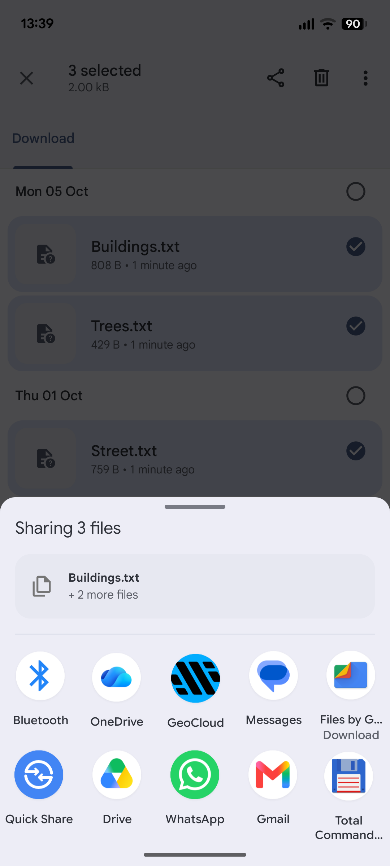
Send files from other apps - GeoCloud Share appears in your device's share sheet on Android and iOS. Share files from your file browser or from apps such as Leica Zeno Mobile One, then pick the project or folder to save them to.
Create and manage projects - Create a project with a name, description, labels and cover image, and edit or delete projects from the card menu. Changes to a shared project, including deleting it, apply for everyone with access.
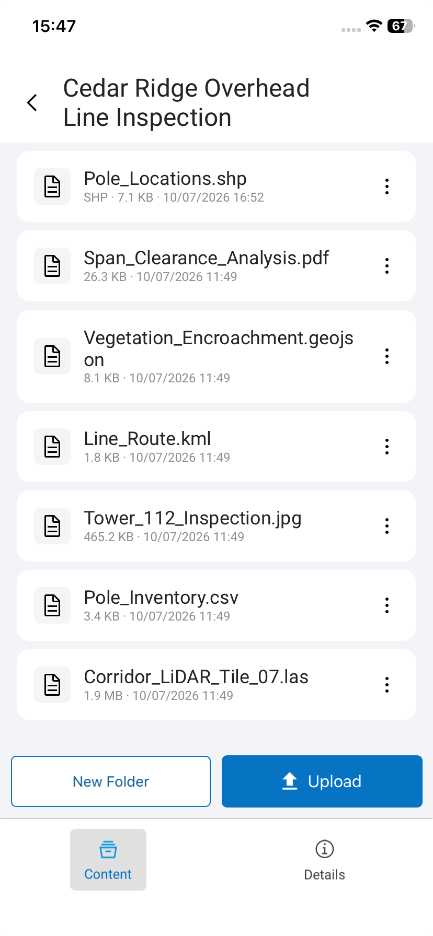
Work with your project content - Create folders, upload files from your device, rename or delete them, and download files to your device.
Field data formats recognised - GeoCloud Share recognises common field data formats, such as Zeno Mobile One projects, Esri Shapefiles and CAD files. Any other file type uploads just as easily.
Sign in with the email address and password of your Hexagon GeoCloud account. The app runs on Android 10 and iOS / iPadOS 15 or later, in English, German, Spanish, Italian, French, Japanese, Korean and Chinese. To get started, see Connecting and using the Hexagon GeoCloud Share app.
Please note: New projects created in GeoCloud Share are stored in the default storage region, EU – Ireland. Your existing projects in other regions are all available in the app.