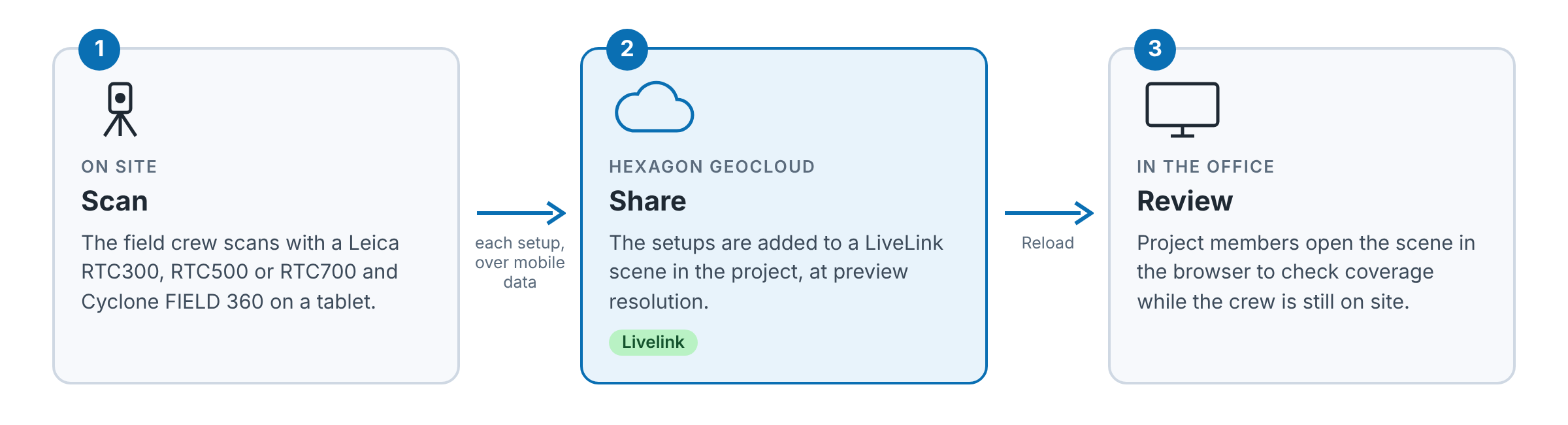
A Livelink scene shows the scans a field crew shares from Cyclone FIELD 360 while they are still on site. You open it in Hexagon GeoCloud to check coverage and spot gaps before the crew leaves. The scene is created in the field, in Cyclone FIELD 360: you can't create one in Hexagon GeoCloud.
Prerequisites: the field crew has set up Livelink in Cyclone FIELD 360, see Livelink | Cyclone FIELD 360, and you are a member of the project.
Find a Livelink scene
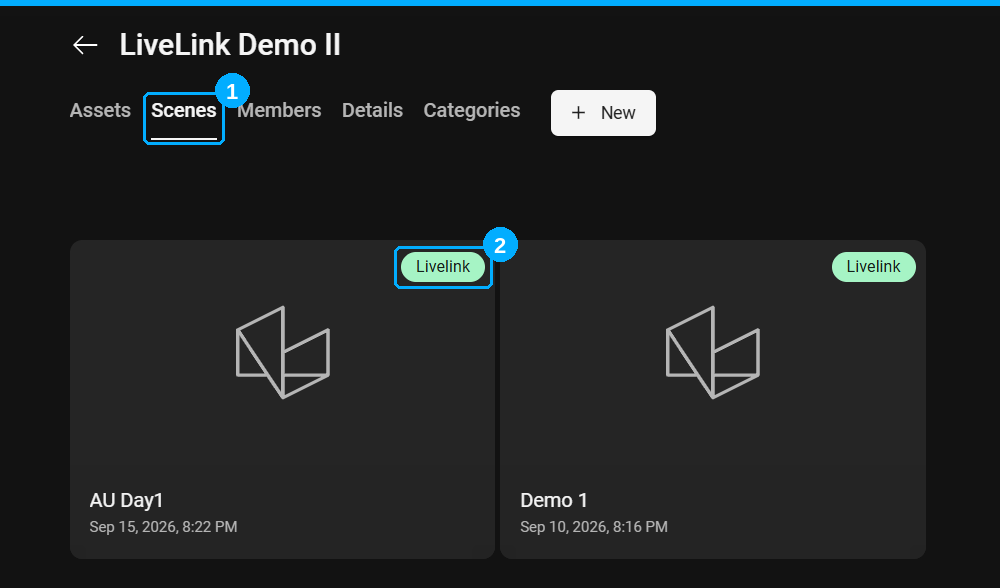
Livelink scenes are listed with your other scenes on the Scenes tab of the project (1). A green Livelink label marks them (2).
The shared scans also appear on the Assets tab, as assets of type Cyclone F360 upload.
Inside a Livelink scene
A Livelink scene opens like any other scene, with three differences:
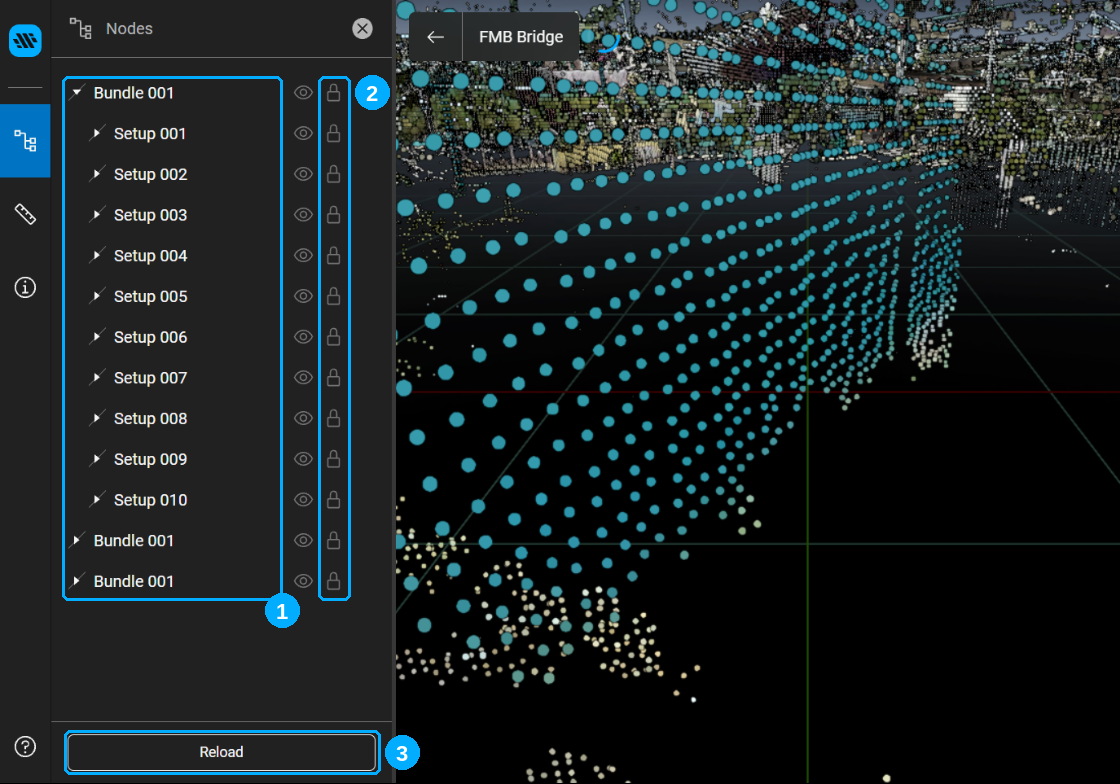
Scene tree. Shows the scans as they are organised in Cyclone FIELD 360: bundles, setups and scans.
Read-only. The scene can't be edited, for example renamed or deleted. Measurements you take aren't saved.
Reload. The scene doesn't update by itself. Click Reload to see the setups shared since you opened it.
Limitations
Scans are shown at preview resolution, not as full-resolution point clouds.
The scene doesn't show a synchronisation status.
GeoTags, measurements and limit boxes made in Cyclone FIELD 360 aren't shared. See What's possible in Livelink?
All Livelink limitations are also listed in Known Issues.