
Importing BLK2GO PULSE data into the Import area and then directly exporting to E57.
Using this approach, the data will NOT be imported into Cyclone REGISTER 360 PLUS.
This is a direct export to E57 with a colorized point cloud without WayPoints.
-
Import a B2G file or connect to a BLK2GO PULSE scanner.
-
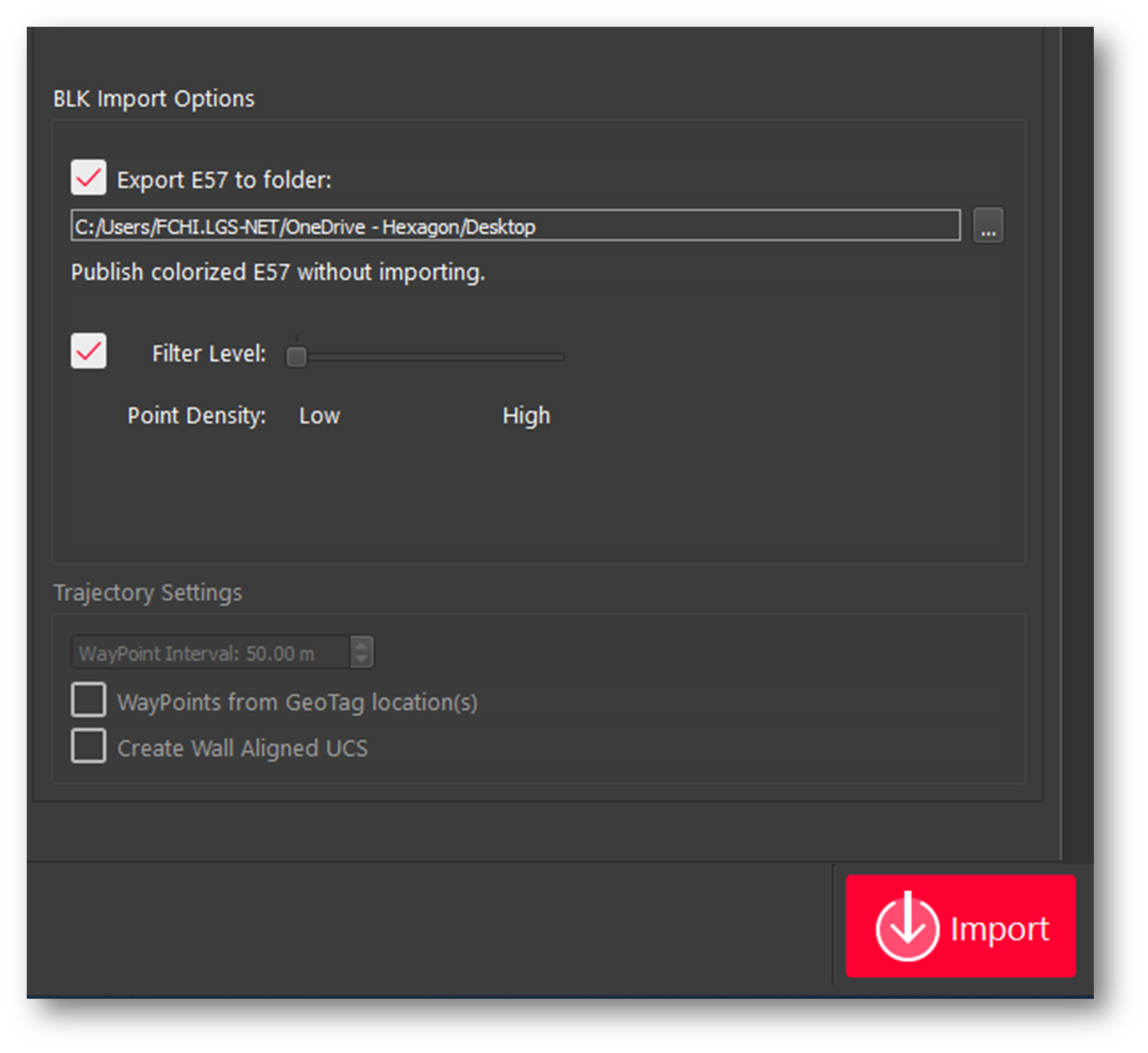
If BLK2GO data is detected in the import area an option to export directly to E57 appears in the right-side panel of the import area. Check the Export E57 to Folder check box and then click the import button.
-
An E57 file of the BLK2GO data will be written to the selected folder.
Note: This process saves time versus importing the data into Cyclone REGISTER 360 PLUS if the only requirement is a colorized e57 without panoramic images.
Note: Due to the unstructured nature of BLK2GO PULSE data, e57 files created from the scanner will not be supported for import into Cyclone REGISTER 360 PLUS 2021.0 or earlier.
Note: Users should save original .b2g files for future use.