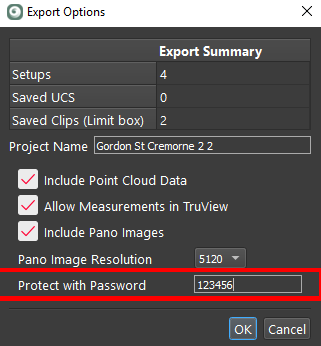
Checking the JetStream Enterprise box in the Publish Options panel, publishes the project to your JetStream Enterprise server on your local network. There are a wide range of options to adjust the parameters of the publishing event.
Export Options:
The Export Options button is used to set JetStream export options:
-
Set project name
-
This is the name that will show for the project in the supporting downstream programs.
-
-
Include Point cloud data
-
This option is used to include or not the point cloud data.
-
-
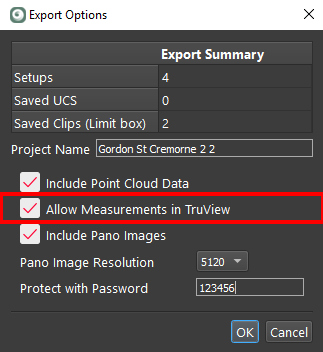
Allow TruView Measurements
-
enabling TruView Measurements ensures that if the project is exported from a JetStream Enterprise server as an LGS file, that it can be added to TruView Enterprise or Cloud and will support measurement.
-
The default to set to export TruView measurements. Exporting without TruView measurement support has the following benefits if measuring in TruView is not required:
-
Fast upload to TVC and TVE
-
Smaller LGS project file size
-
Faster publishing in general
-
-
The option is in the export dialogs for TVC, TVE and LGS:
-
Include Pano Images
-
This option is used to include or not the panoramic images.
-
-
Pano images resolution (1K-5K)
-
Protect with Password
Once set, the password is irretrievable. If the password is lost there is no way to open the file or find out what the password was. A new file will have to be published with a known password.