
AUTOCAD PRO bentley REVIT bricscad pro ULTIMATE
Line-Tools | QuickSlice Thickness
Command Line
-
AutoCAD / BricsCAD: CWQSLICE | T
-
MicroStation: CloudWorx Sketch Qslice
This tool is used to adjust the thickness of a quick slice.
Using the Tool
To change the quick slice thickness:
-
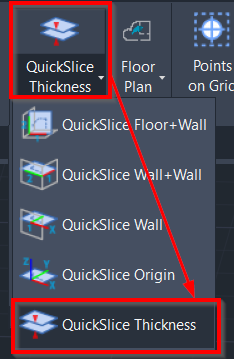
Click QuickSlice Thickness in the Line-Tools panel or type a command line prompt specific to the preferred CAD system.
-
When prompted to enter the quick slice thickness, specify the required value.
-
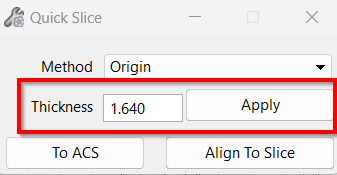
In CloudWorx for Bentley, click QuickSlice in the Line-Tools panel and specify slice thickness in the Quick Slice dialog.
Note: To ensure optimal performance, it is recommended to avoid using a large value for the number of points in best fit computation.