
AUTOCAD BASIC AUTOCAD PRO bentley REVIT navisworks BricsCAD basic bricscad pro ULTIMATE
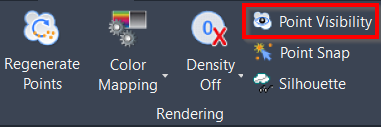
Rendering | Point Visibility
Command Line
-
AutoCAD / BricsCAD: CWPVISIBLE
-
MicroStation: CloudWorx Toggle
This command toggles the overall visibility of point clouds. Points may still be hidden by the limit box, hidden regions, slice, or section.
Using the Tool
To toggle point cloud visibility on or off, use any of the options below:
-
Click the Point Visibility button in the Rendering panel.
-
Type a command line prompt specific to the preferred CAD system and press ENTER.
-
Press Ctrl+F12.