
AUTOCAD BASIC AUTOCAD PRO bentley navisworks bricscad basic bricscad pro ULTIMATE
Rendering | Point Snap
Command Line
-
AutoCAD / BricsCAD: CWSNAP
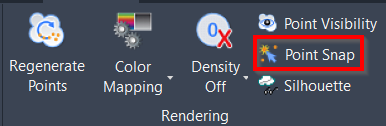
This command is used to toggle the ability to snap to points in a point cloud.
Using the Tool
To toggle point cloud snapping on or off, use any of the options below:
-
Click the Point Snap button in the Rendering panel.
-
Type a command line prompt specific to the preferred CAD system and press ENTER.
-
The Point Cloud Snap/Visibility dialog appears.
-
Select/deselect the Disable Snap On Cloud Points check box, and then click OK.
-
-
Press Ctrl+F11.