
AutoCAD Pro revit bricscad pro navisworks ultimate
Project | Connect To… | Import Point Cloud
Command Line
-
AutoCAD / BricsCAD: CWIMPORTPTX
This command enables users to import point clouds in E57, LAS, or PTX formats and automatically convert them into LGSx.
Note: A CloudWorx Pro or Ultimate license key is required to use this feature.
Using the Tool
To import a point cloud in E57, LAS, or PTX, follow the steps below:
-
Select Import Point Cloud from the Connect To menu in the Project panel or type a command line prompt specific to the preferred CAD system and press ENTER.
-
In the Import PTX/E57/LAS File dialog that appears, browse to a local point cloud dataset, select it, and click OK.
-
While the conversion is in progress, the OK button will be disabled. This process might take some time, depending on the size of the original point cloud. A new file with the same name as the original file and an .lgsx extension will be created and stored in the same folder.
-
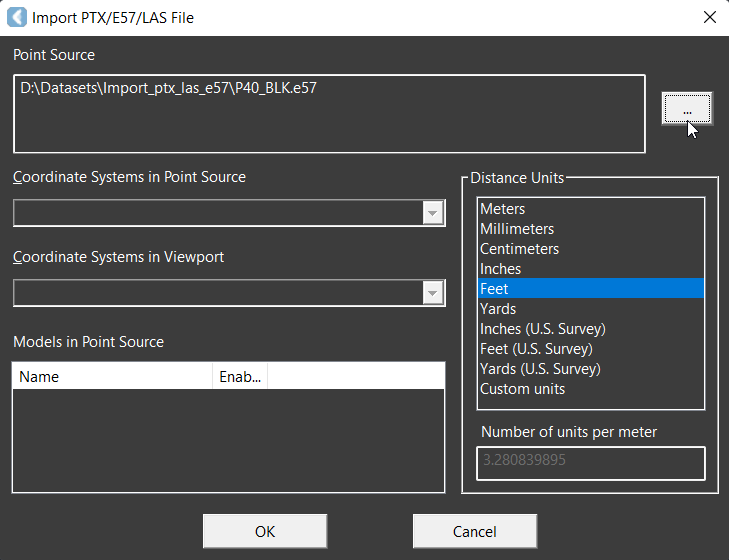
After rendering the converted point cloud in the active workspace, the available CloudWorx toolsets can be used to modify it as necessary.
.png?cb=8bce38c6a1e65962eefac69ad782a679)