Function
Creates a dynamic scalebar that is inserted into your diagram. The measurement units will be the same drawing units (Metric or Imperial) that you selected for your diagram.
Procedure
Under Labeling tab in ribbon menu select Scalebar command
Left click for the start point position of scale bar
Left click to again to specify second point to the approximate desired length. This will automatically round up to the closest unit value:
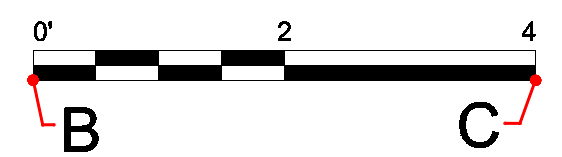
Once a scale bar is placed, clicking on the scale bar displays grips which can be used to modify the length and width. The scale bar units will dynamically update as you adjust the length rounding off to closest even numeric value.
Modifying Properties
Clicking on a scale bar once it has been placed will display grips and a left side Properties panel. From the properties panel you can modify the layer, style, length and text as shown:
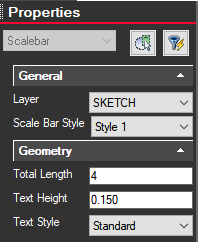
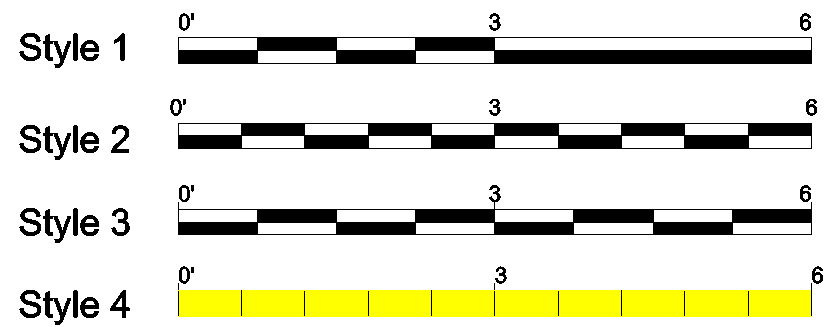
There are four Scale Bar Styles to select from in the Properties side panel. Style 1 is the default style or you can select from other styles in the list.