revit
Tools | Manual Align
This tool manually aligns the point cloud with the modelled object based on specified parameters.

Using the Tool
Click Manual Align in the Tools panel.
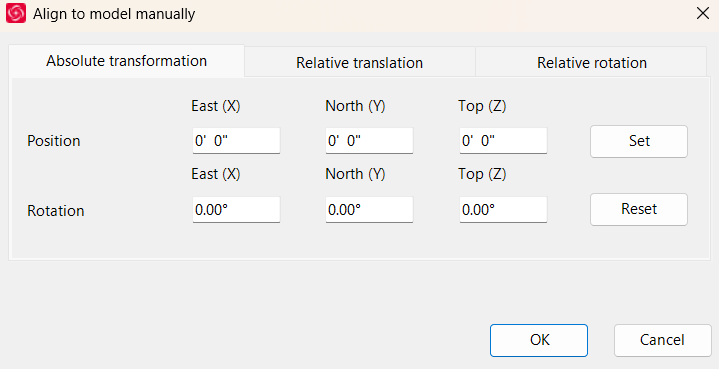
In the Align to model manually dialog, select the required alignment method and specify the appropriate parameters:
Absolute transformation: Move and/or rotate the point cloud based on the origin of the project.
Relative translation: Move the point cloud based on its current origin or move it in pixels based on the current camera view.
Relative rotation: Rotate the point cloud around its current origin.