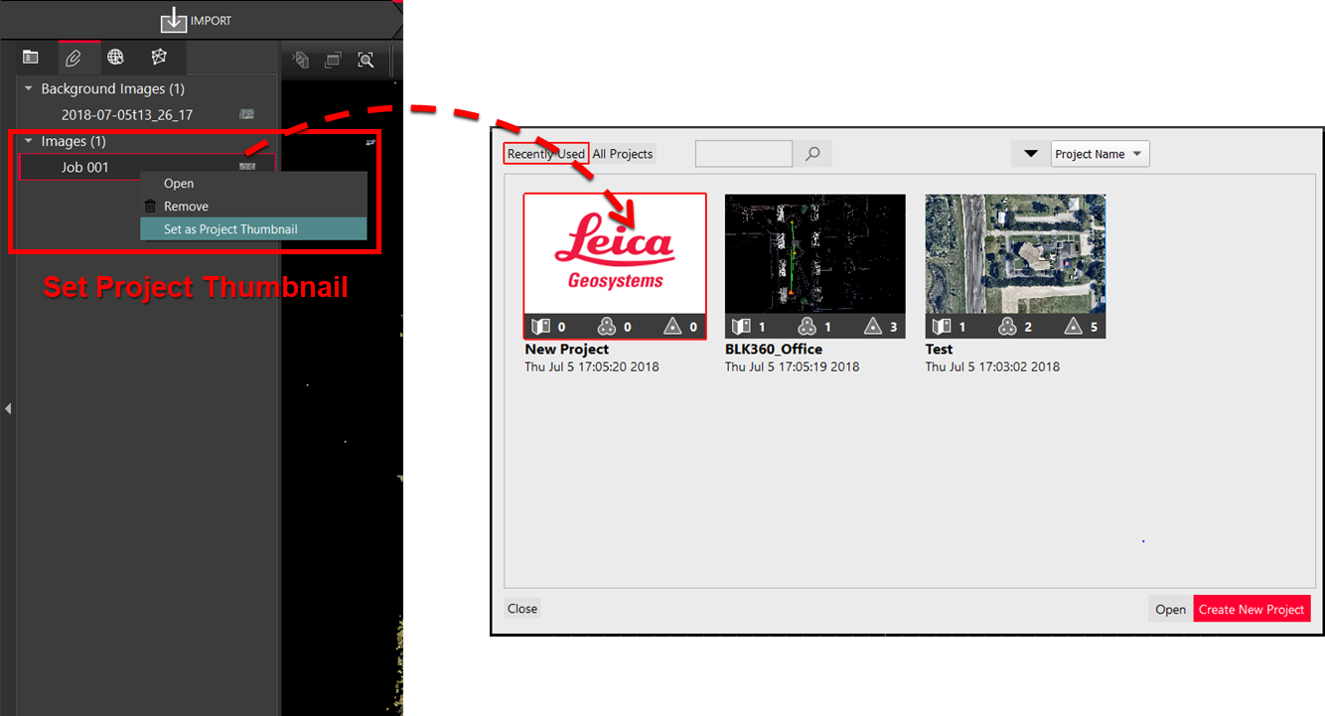
To simplify project identification, the user can set a project thumbnail from assets or the SiteMap following the steps below:
-
In the Review and Optimize section, navigate to the Assets tab and right-click the desired asset.
-
Select the Set as Project Thumbnail option.
Once done, the project thumbnail will be automatically updated in the project selector.