Cyclone REGISTER 360 PLUS Projects
-
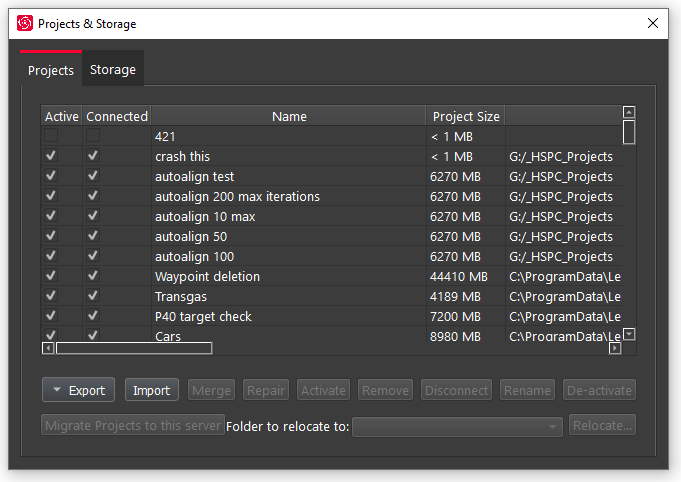
In Project & Storage users can see all of the stored projects
-
Manage stored projects
-
Delete unwanted projects
-
Copy a project to another storage location using the Relocate option.
-
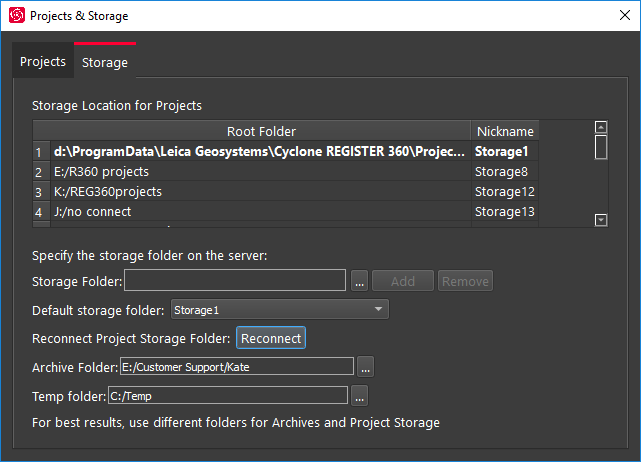
Set Archive or Import folder for a REGISTER 360 project (*.raf)
-
-
To create a .raf file, select the project and click the Archive button.
-
To import a saved archive file, simply place the .raf file inside of the Project Storage directory and then click the Import button.
-
Cyclone REGISTER 360 PLUS will provide a list of any archive it finds in the location that can be added to the active Project list.
Storage