
June 23, 2026
What’s New
Cyclone FIELD 360 version 7.0 is a major release, introducing support for the next generation of RTC-series laser scanners and expanding in-field surveying capabilities.
This release continues the evolution of FIELD 360 as a central application for in-field data capture, registration, and analysis, strengthening the connection between field workflows and the broader Leica Geosystems reality capture ecosystem.
In addition to new hardware compatibility, version 7.0 introduces improvements in data handling, connectivity, and workflow efficiency, enabling users to perform more advanced tasks directly on the mobile device.
RTC Series scanners support - RTC300/500/700
Version 7.0 aligns FIELD 360 with the new RTC scanner generation, ensuring compatibility with:
RTC300
RTC500
RTC700
This enables:
Stable communication with new devices
Faster and more reliable data transfer
Support for new scanning and surveying capabilities
Scanner connectivity - QR Code
A new QR code–based workflow has been introduced to simplify the connection between the scanner and Cyclone FIELD 360.
Users can now establish a connection by scanning a QR code directly from the scanner screen that can be found in “Connectivity” settings, eliminating the need for manually typing SSID and password. This significantly reduces setup time and minimises the risk of connection errors in the field.
This improvement enables a faster and more reliable start of data capture, especially in multi-device environments or when switching between scanners.
Data Browser improvements
The Data Browser has been enhanced with a new, clearer data structure to improve navigation and organisation of project data.
New hierarchy
The project structure is now organised into the following levels:
Setup
Scan
Full dome scan
Target scan
Area scan
GeoTags
Full data Hub
The Full Data Hub introduces enhanced control over full-resolution scan data management directly on the mobile device.
Users can now:
Selectively request and download full data for individual scan setups
Perform batch downloads across multiple setups
Remove full-resolution data from the device while retaining preview data and project structure
This enables a flexible workflow where full data can be downloaded when needed and removed afterwards to optimise device storage, without impacting project integrity or metadata.
Access and availability
The Full Data Hub can be accessed via the Data Browser top icon and is available when a scanner is connected.
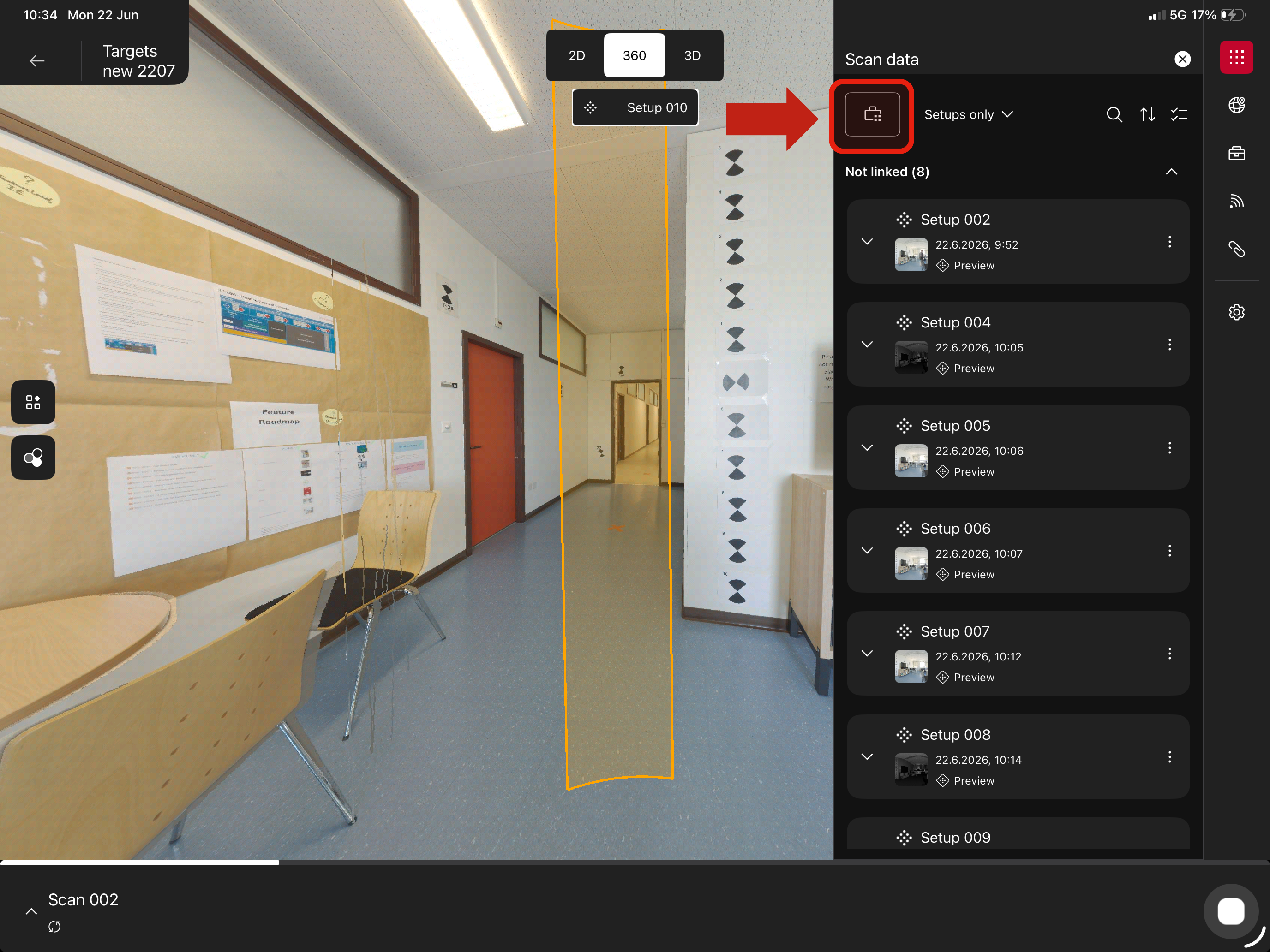
Data Hub
Workflow impact
This feature provides improved control over how scan data is handled in the field:
Reduces dependency on full data being stored locally at all times
Helps manage limited device storage more efficiently
Supports workflows where only selected setups require full-resolution data
Overall, the Full Data Hub enables a more efficient balance between data availability and device performance, particularly in larger or long-running projects.
New Georeferencing Workflows with RTC700
New georeferencing workflows have been introduced for the RTC700, providing increased flexibility and control directly in the field.
These workflows include:
Setup over a known point
Active target scanning
On-device target fitting
Area-based workflows
A dedicated section provides detailed guidance on each workflow and their recommended usage scenarios.
Target-to-Target Linking
A new target-to-target linking method has been introduced as an alternative to the existing cloud-to-cloud linking workflow.
This method enables scan alignment based on created targets, providing an additional option for linking scans depending on project conditions and requirements.
Requirements and limitations
A minimum of three targets per scan is required to perform target-to-target linking
Target-to-target linking and cloud-to-cloud linking cannot be combined within the same pair of scans.
Target to Target Link
Workflow impact
Target-to-target linking improves registration reliability in challenging environments, particularly where cloud-to-cloud methods may be less effective, such as:
Featureless environments
Repetitive or symmetrical structures
Large open spaces with limited geometric variation
By relying on clearly defined targets, users can:
Achieve more stable and controlled scan alignment
Reduce dependency on point cloud geometry
Improve accuracy and confidence in registration results
When to use target-to-target vs cloud-to-cloud
Target-to-target linking
Recommended when working in environments with limited geometric features or where high accuracy is required through controlled target placement
Cloud-to-cloud linking
Recommended for faster workflows in environments with sufficient geometric detail, where automatic alignment can be reliably performed
License-Free Entry Mode
Cyclone FIELD 360 can now be started without an active license, allowing users to access the application and begin working immediately.
In this mode, users are able to:
Capture scans
Visualise individual setups and walks
This feature lowers the entry barrier for new users and simplifies access to the application, particularly in situations where login credentials or licensing are not immediately available.
Access and availability
Users can enter the License-Free Entry Mode by:
Selecting “Skip login” during app launch
Logging out from within the application
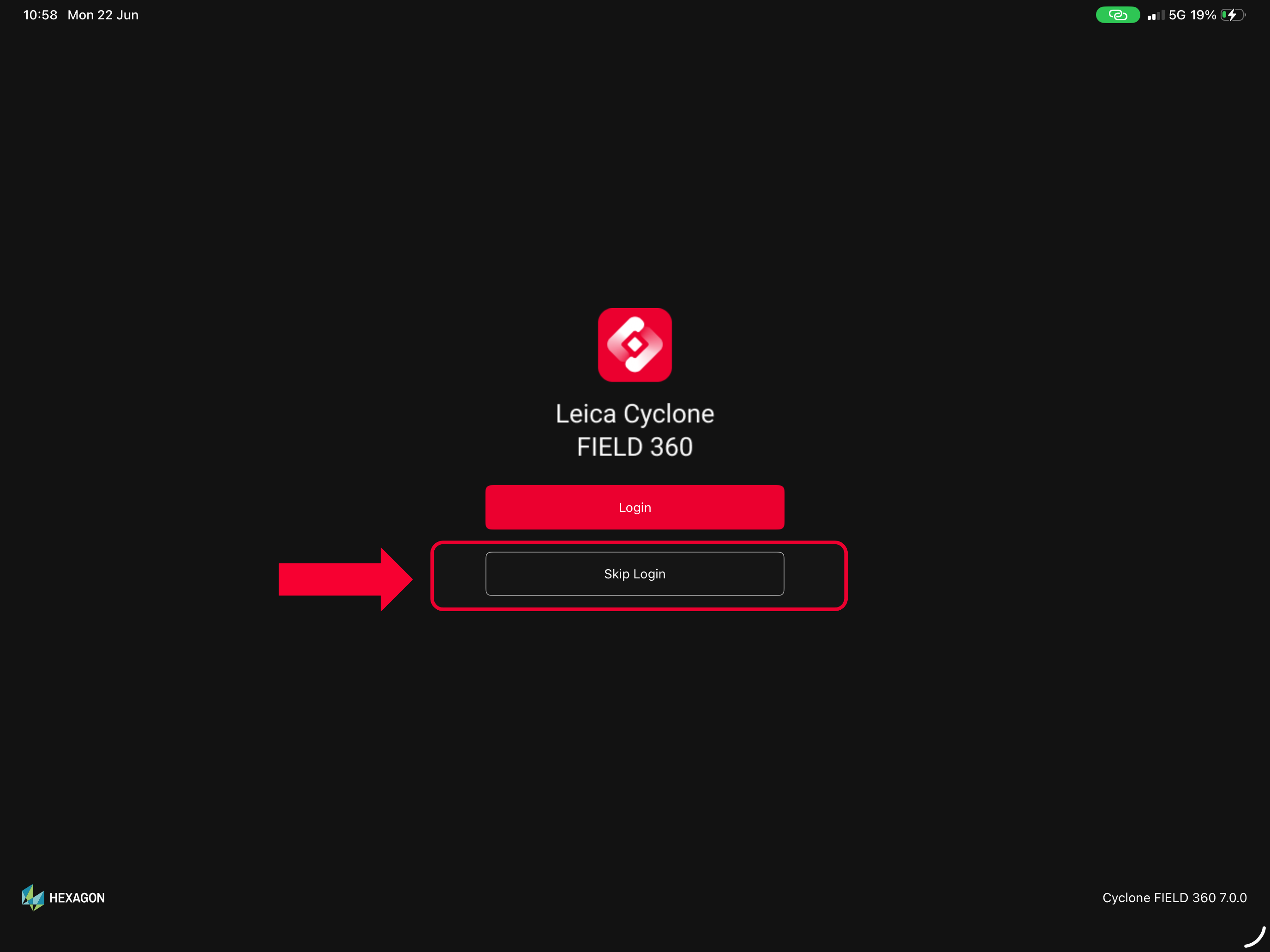
Skip login option
Workflow impact
License-Free Entry Mode improves flexibility and usability in the field:
Enables quick startup of the application without dependency on licensing infrastructure
Supports initial data capture and visualisation, even in restricted or offline environments
Simplifies onboarding for new users or temporary operators on-site
This mode is especially useful for:
First-time users exploring the application
Field scenarios requiring rapid deployment
Basic workflows where immediate access to full functionality is not required
Overall, this feature enhances accessibility while maintaining a clear distinction between basic usage without a license and full-featured workflows under an active license.
Known issues:
.fafx containing full data cannot be imported in REG360
Dynamic Visibility Mode is not working
Silhouette mode is not available
Adding Control Points from scanned QR code sometimes doesn`t work
iPhones - in some screen resolutions buttons might be shifted
Compatibility
Leica Cyclone REGISTER 360 PLUS 2026.1.0 (or higher) to support data import.
Recommended Hardware and Software Specifications
Apple iPad or Apple iPhone running on iOS18 or higher with 64-bit operating system and at least 8GB of RAM.
Recommended devices:
iPad Pro 11 ( 2022, 2023, 2024, 2025) and iPhone 13, 14, 15, 16, 17 series.
For first generation BLK360 scanners, iOS devices are recommended.
Licensing
Leica Cyclone FIELD 360 7.0 requires an active Cyclone REGISTER family or Cyclone FIELD 360 license for activation.
Leica Cyclone FIELD 360 Pro is required for use of the plug-ins (FF/FL and QuickPlan).