
Once you have the administrator password and the public IP of your EC2 instance, you can access it by running the Remote Desktop Connection program.
-
Click Show Options.
.png?cb=87f605a4375a4f1125963b0818ad2314)
-
Enter your EC2 instance’s IP in the Computer box.
-
Enter <your EC2 instance’s IP>\Administrator in the User name box.
.png?cb=e8c1d7d3bfb16076be241f62dd791f40)
-
Click Connect.
-
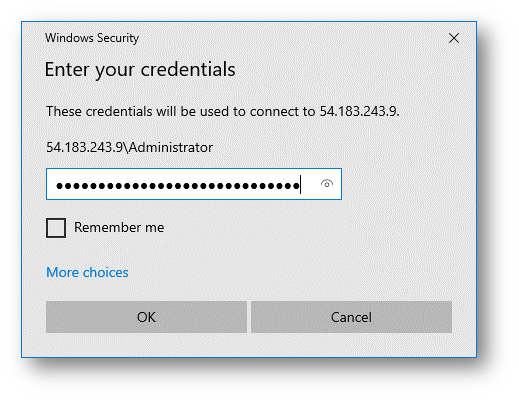
Enter your password from the previous step.
-
Click OK.
-
On the next dialog, select Don’t ask me again for connections to this computer. Click Yes.
.png?cb=5222fbc0b8894b6dbc1d47866f1282bf)
-
The Remote Desktop window will open after a few seconds.
-
Follow Cyclone ENTERPRISE installation instructions to install Cyclone ENTERPRISE on your EC2 instance.
Next (Initialize Data Storage Disk)>