
Open the file FeatureLines.3dr.
The idea is to compute the intersection and use it to reconstruct the sharp edge:
-
Launch Region Grow Plane, adjust the tolerance to 1cm and click on the left side of the pillar. Extract only the plane. Then repeat with the front side.
-
Select both planes and compute the Intersection. Show only the intersection line and the mesh. If you double click on the line, you can modify its length.
-
Select the mesh and the line, then launch the command Sharp Edges.
-
Right click in the scene to open the contextual menu: change the Representation to Flat + Wire.
-
Set the Cleaning Distance to 0.1 m.
-
Click on Preview: the mesh is modified, from 0.1 m from both side of the line, in order to respect the given feature line.
-
The edge of the pillar is now perfectly straight.
-
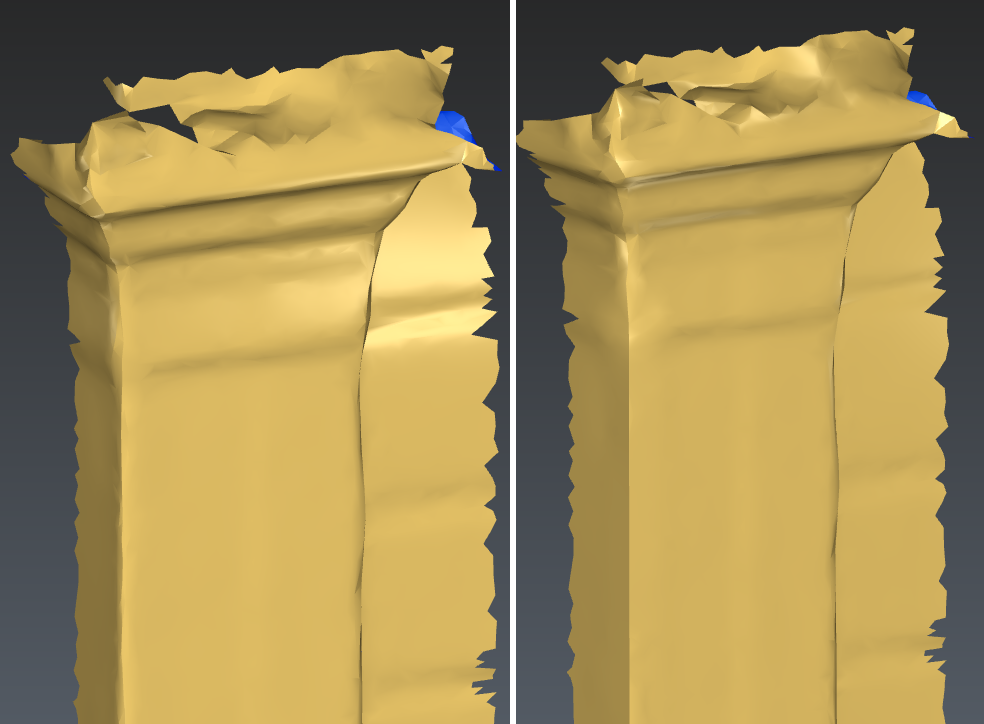
Compare the original edge with the reconstructed edge