
AUTOCAD BASIC AUTOCAD PRO bentley REVIT navisworks bricscad basic bricscad pro ULTIMATE
Clipping | Clip Point Cloud | Slice | Forward
Command Line
-
AutoCAD / BricsCAD: CWSLICEF
-
MicroStation: CloudWorx Clip Forward
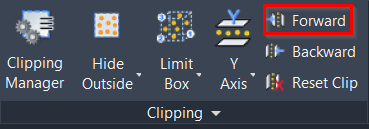
This command moves the existing slice by one step (equal to the thickness of the slice) in the positive direction along its axis.
Using the Tool
Note: Before executing this command, it is necessary to define a slice along a specific axis. Refer to Slice on Axis for more details.
To move the slice one step forward along its axis:
-
Either click the Forward button in the Clipping panel.
-
Or type a command line prompt specific to the preferred CAD system and press ENTER.