autocad pro revit navisworks bricscad pro ultimate
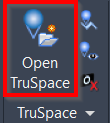
TruSpace | Open TruSpace
Command Line
AutoCAD / BricsCAD: CWTSOPEN
This command launches the TruSpace viewer to view point cloud data and the panoramic image from individual Setups.
Using the Tool
To launch TruSpace, follow the steps below:
Either click Open TruSpace in the TruSpace panel or type a command line prompt specific to the preferred CAD system.
Pick a specific cloud point on the cloud.
TruSpace will now open in a new window.