revit
Tools | Create GridLine
This tool gives users the capability to use the CloudWorx point cloud to create Revit gridlines for project alignment.
Using the Tool
To create a gridline, follow the steps below.
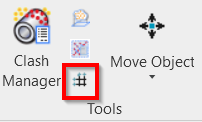
Click the CreateGridLine icon in the Tools panel.
The Create GridLine dialog will open.
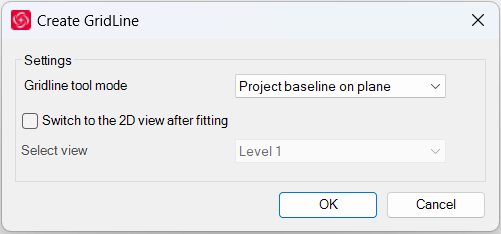
In the Create GridLine dialog, modify the settings as needed and click OK.
Select the Switch to the 2D view after fitting check box if you want to switch to a 2D view after the gridline is created.
Click on a wall or another plane within the point cloud to fit a gridline.